What a product detail page needs to sell a bottle
The six components every beverage product page needs, on any platform, and which guide covers each one in depth.

You have 12 SKUs online and a product page that was built once, by whoever set up the store, and never touched again.
Every one of those pages is doing the same job. It has to convince a stranger, in a few seconds, that a bottle they cannot taste is worth the price.
Most beverage product pages were never designed for that job. They were filled in.
A product detail page (PDP) is the page where a shopper views one product, its images, price, details, and the button that puts it in the cart. This article defines what a beverage product detail page needs, component by component, and points to the deeper guide on each one.
It is the map. The linked guides carry the detail.
What a product detail page needs
A beverage product detail page needs six things: a clear hierarchy above the fold, a sharp product image built to spec, copy that answers the buyer's actual questions, the specs and compliance details a drinks purchase requires, proof at the point of decision, and a buy block that shows the full cost before checkout.
Get those six right and the page does its job on Commerce7, Shopify, WooCommerce, a marketplace listing, or a distributor portal. The anatomy does not change with the platform. Only the field names do.
Most beverage pages already have five of the six in some form. The one that is missing or weak, almost every time, is the one the shopper judges first.
The anatomy works the same on every platform
Shopify calls it a product page. Commerce7 calls it a product detail page. Amazon calls it a listing.
The shopper does not care what the software calls it.
What changes between platforms is the container: how many image slots you get, whether the page supports tabs, which fields are required. What does not change is what the shopper needs from the page, and that is what this article covers. Platform-specific setup lives in the Shopify store guide, and the image requirements for each channel live in the platform-by-platform image spec guide.
This article covers the product page only. The grid that leads to it, the product list page with its filters, member pricing, and allocation badges, has its own guide: Product list and product drilldown pages for wine brands.
One timing note for wineries. WineDirect's classic store closes on December 31, 2026, and stores are moving to Commerce7. A platform move is the right moment to rebuild product pages against this anatomy rather than migrate the old ones as they are.
1. Hierarchy: what sits above the fold
The top of the page carries most of the decision. Nielsen Norman Group's eyetracking research found that people spend 57% of their viewing time above the fold and 74% within the first two screenfuls.
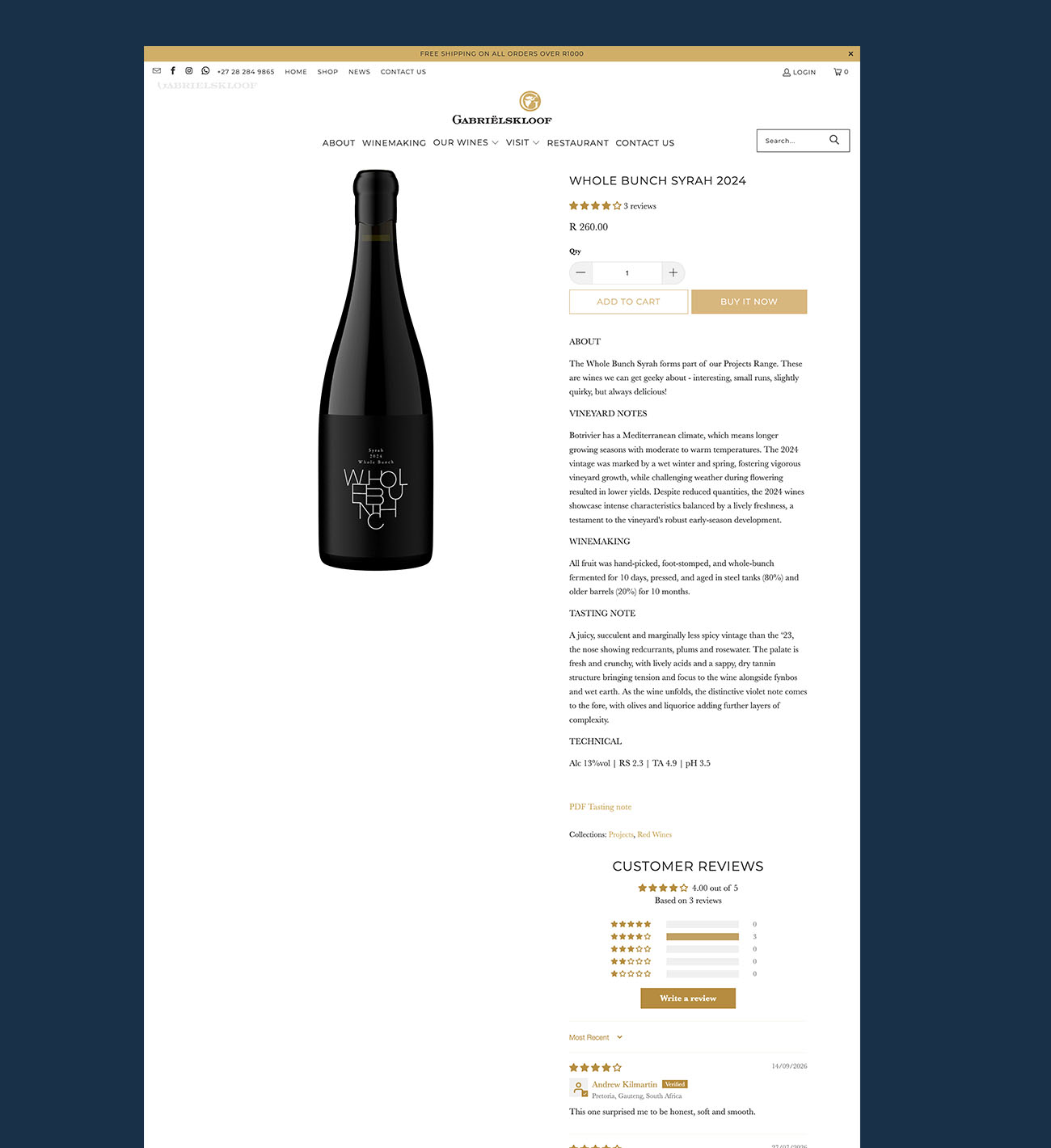
That means the first screen has to hold the product image, the product name, the price, the format, and the add-to-cart button. Everything else can wait for a scroll. The tasting note cannot go above the button, and the winemaker's biography cannot go above the image.
On mobile, the same rule tightens. The image, the name, the price, and the button should all be visible without scrolling on a standard phone screen, and the button should stay reachable as the shopper scrolls.
2. Imagery: the first thing the shopper judges
Baymard Institute found that 56% of shoppers' first action on a new product page is to explore the images, before reading the title, the description, or the price. Whatever the image says, the copy inherits.
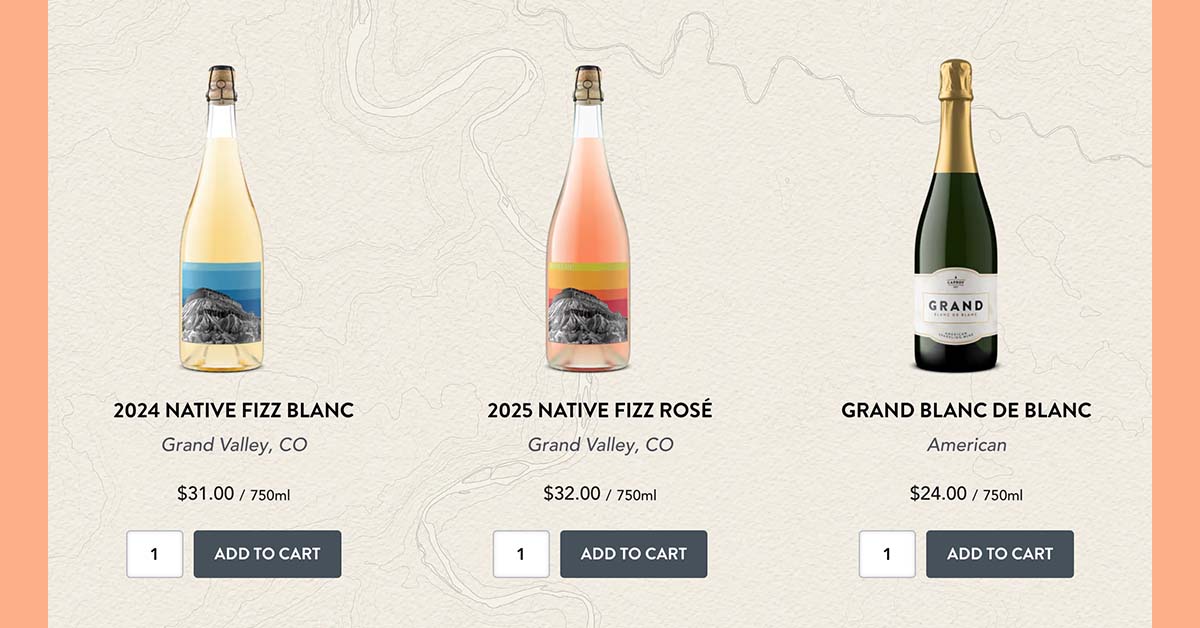
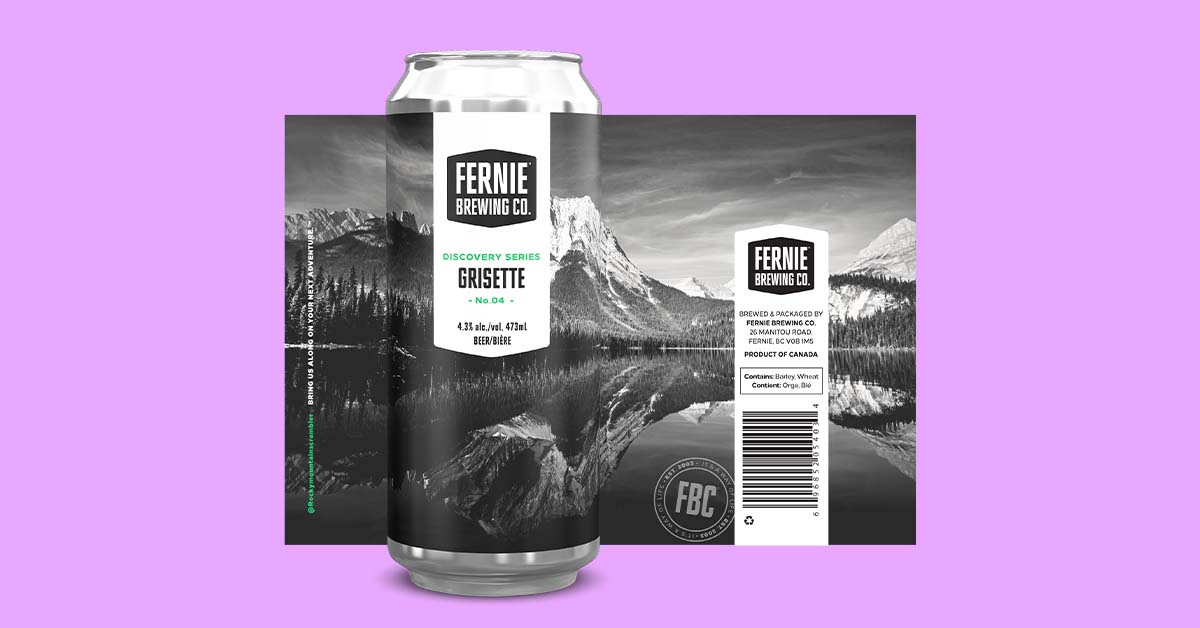
For a beverage product page, the primary image is a clean, front-facing bottle shot on a white or transparent background, sharp enough to zoom, with the label readable and the closure visible. Secondary images earn their place by answering a question the primary cannot: the back label, the bottle in a setting, the bottle next to a glass.
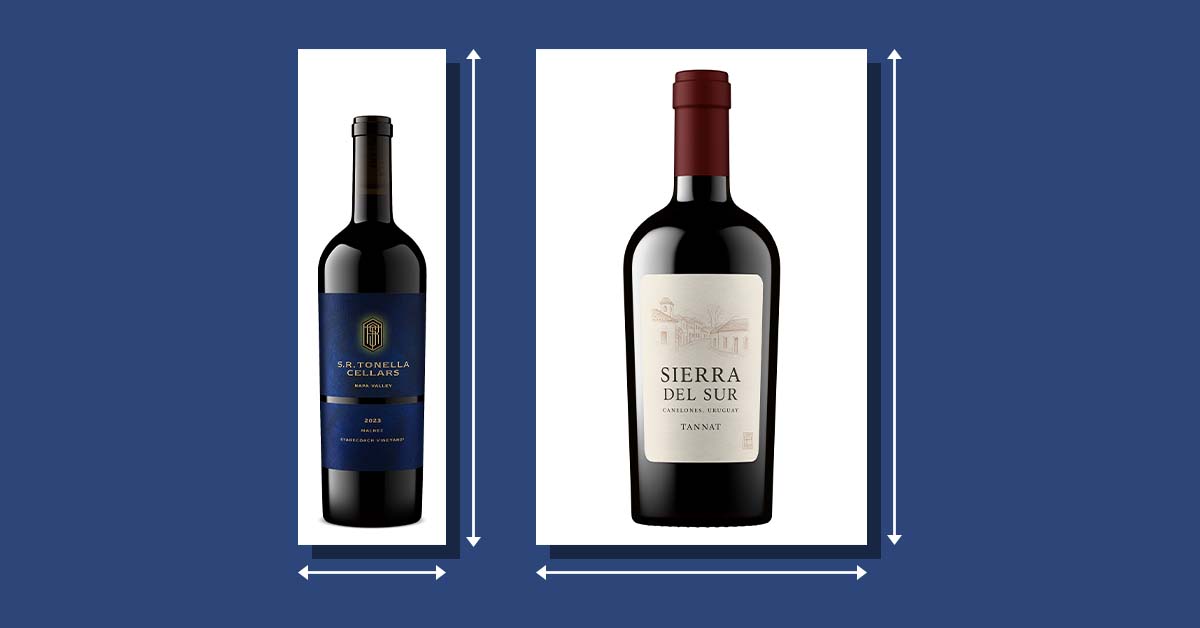
Scale is the question shoppers ask most and sites answer least. Baymard found that 42% of shoppers try to gauge a product's size from its images, yet 28% of sites offer no image that establishes it. A 375ml, a 750ml, and a magnum need to read as three different bottles, not one bottle at three crops.
Two things break here more than anything else on the page. The first is clarity: a blurry, dim phone photo reads as a lower-quality product, and shoppers skip it without knowing why. The second is consistency: a catalog where one bottle was shot on a white sweep and the next on a kitchen counter looks like two brands.
Why product image clarity affects online sales covers the first in depth. The image size and format guide covers the resolution, background, and file specs that let one master file travel to every channel.
One more thing sets the image apart from the other five components. It is the only one that can exist before the bottle does, which is what makes a pre-release page possible.
3. Copy: answer the questions, then tell the story
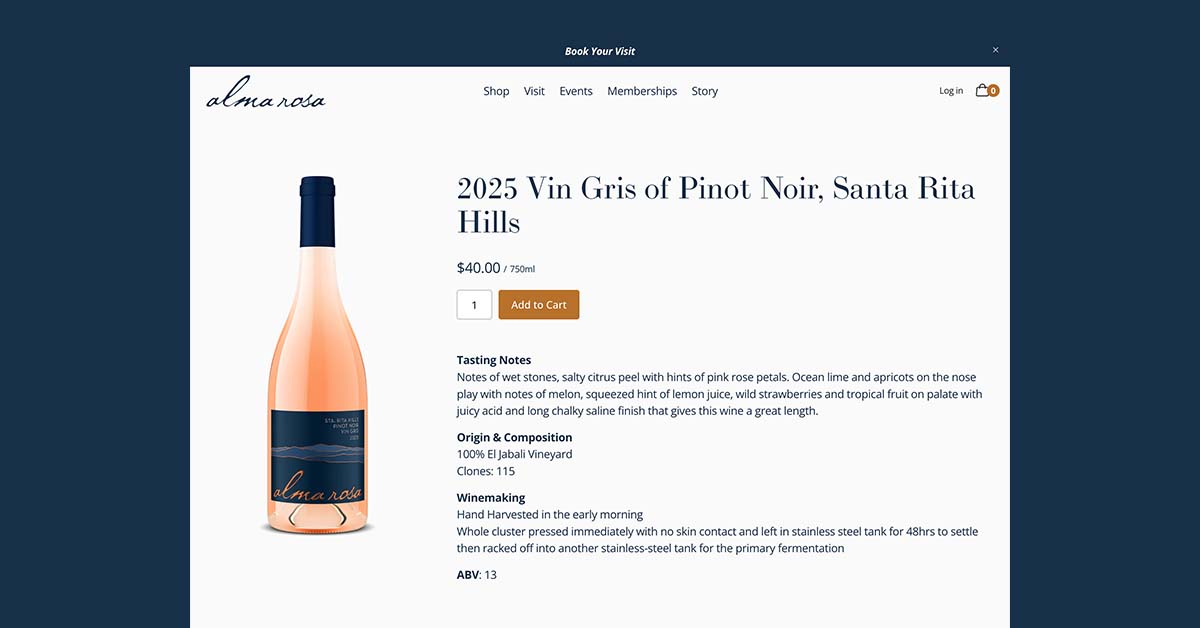
A shopper on a beverage product page wants five answers fast: what is it, where is it from, what does it taste like, what do I drink it with, and what does it cost. Copy that opens with a paragraph about the founder's grandfather makes them hunt for all five.
Lead with a one-line description that carries the varietal or style, the region, and the character. Follow it with the tasting note and a pairing. Then, and only then, tell the story.
The story is what makes the second bottle sell. The first bottle sells on the answers.
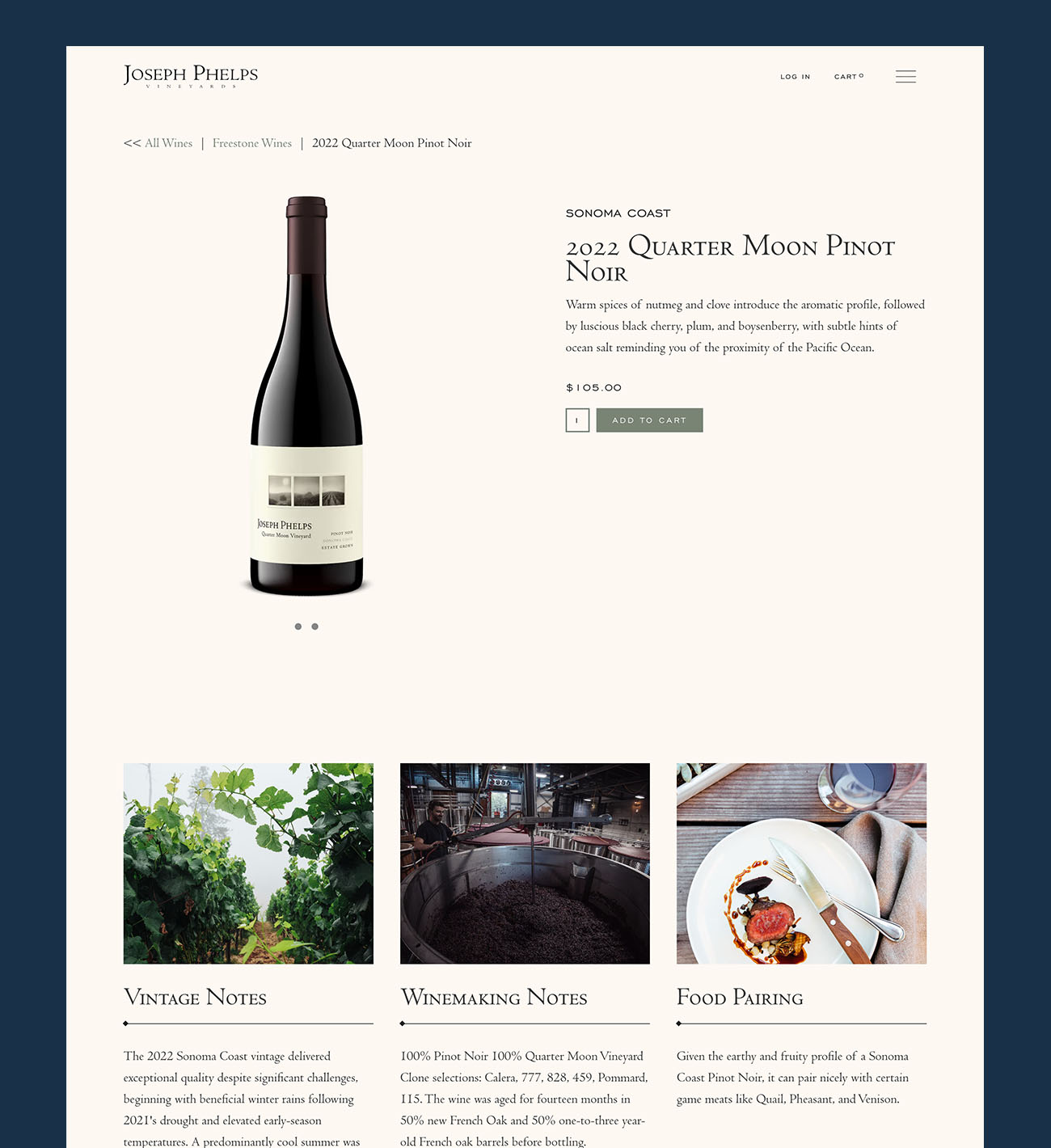
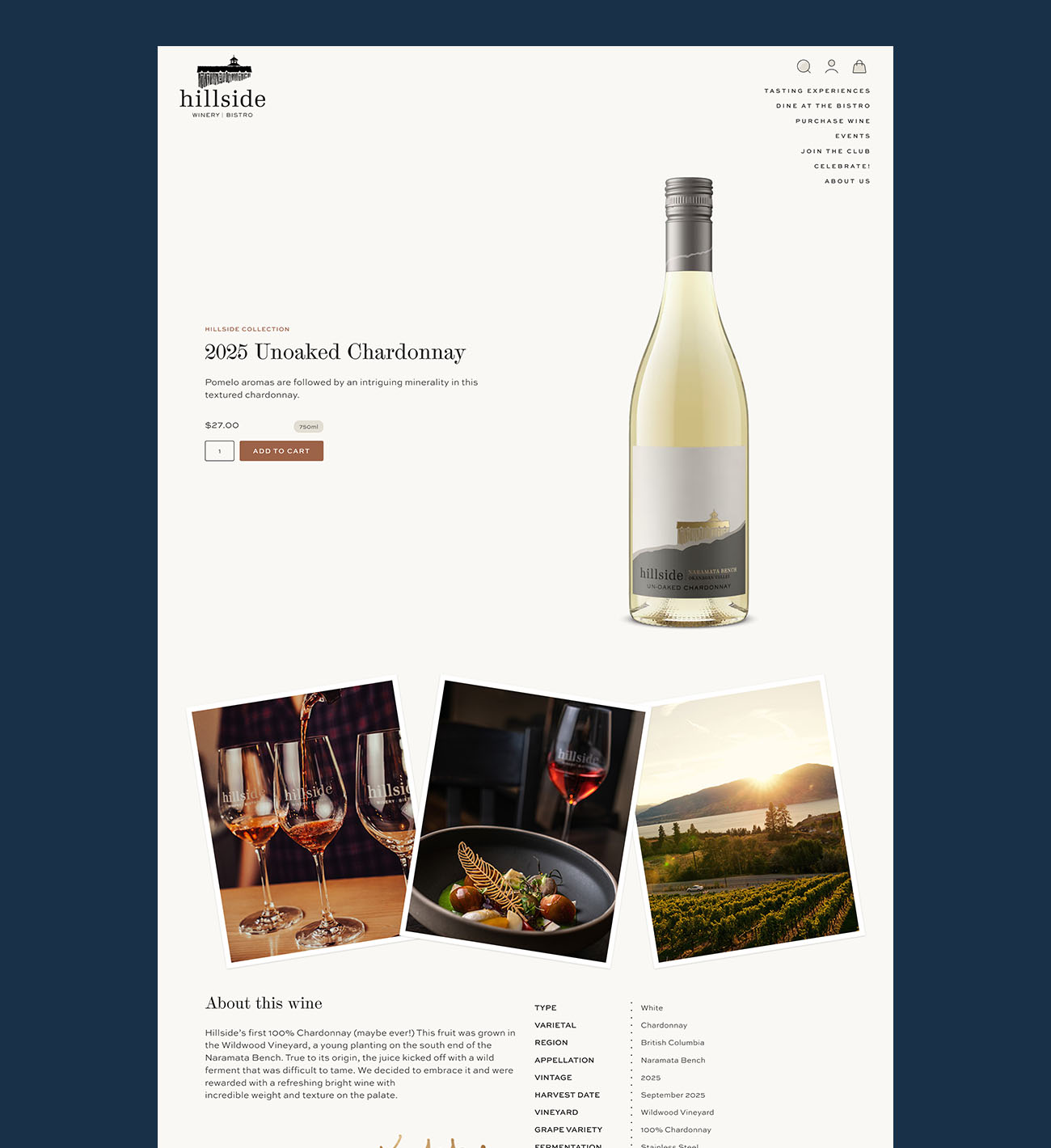
Structure matters as much as content. Baymard found that descriptions organized by feature highlights, each with a short header and its own image or icon, hold attention far longer than a block of text, yet only 22% of sites use that structure. A beverage page can do this with three or four highlights: grape and region, winemaking or distilling method, tasting profile, serving suggestion.
4. Specs: the details a drinks purchase requires
Beverage is a regulated category, and a product page that hides the regulated details looks either careless or evasive. Format, ABV (alcohol percentage), vintage, appellation, and closure belong in a scannable spec block, not buried in prose.
Shipping restrictions belong on the page too, near the buy button, not in a footer link. A shopper in a state you cannot ship to should learn that before checkout, not after entering an address. The same goes for age verification and adult-signature delivery: state it once, plainly, where the purchase decision is being made.
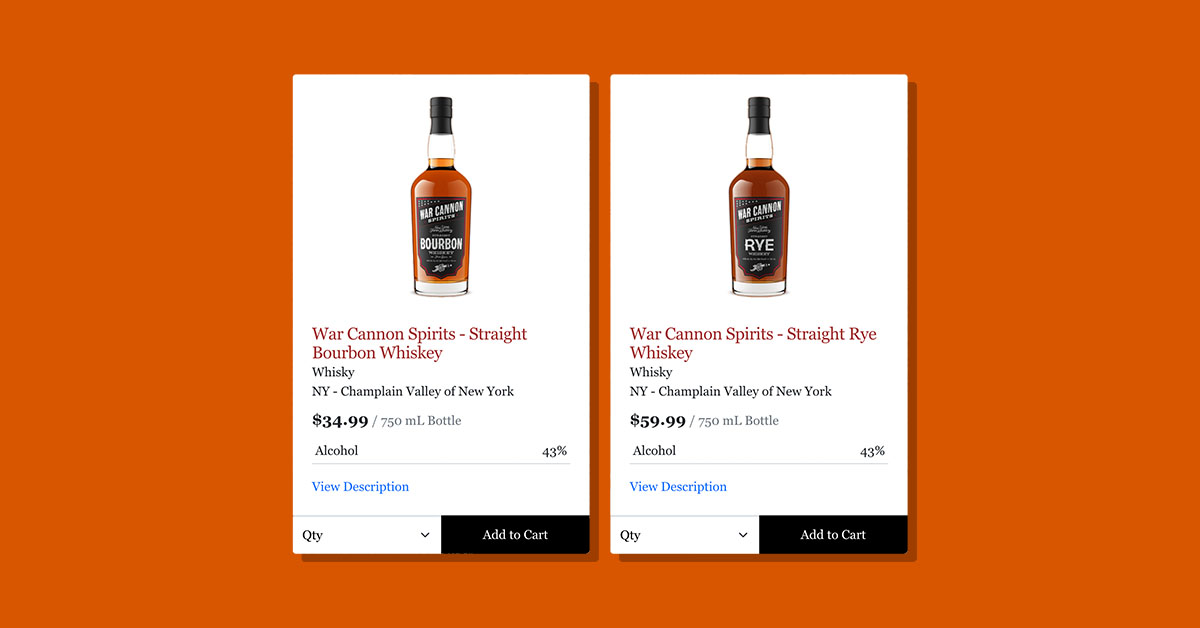
For distilleries, the grain bill, the proof, and the aging detail are specs, not story. Put them where a spec belongs.
What a distillery PDP audit reveals shows what happens when that detail is present in the copy but structured for no one, including the AI assistants that now field the question "what bourbon should I try." How product data and imagery feed those AI-mediated shopping surfaces is its own topic, covered in The PDP evolved.
5. Proof: trust at the moment of decision
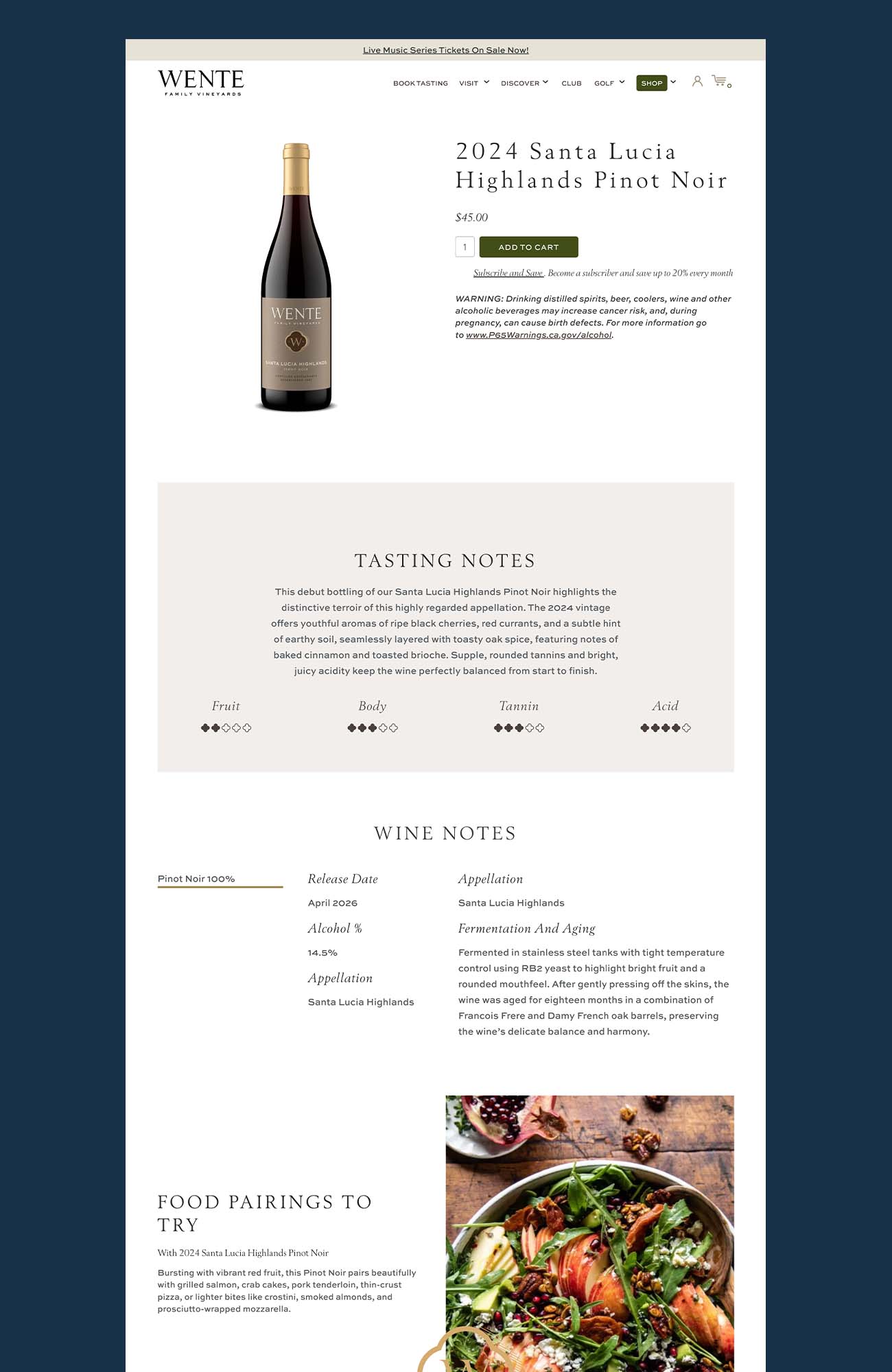
The shopper has just met your brand and is being asked to trust it with a purchase. Proof has to sit on the product page, at the moment of decision, not two clicks away on an About page.
For a producer's own store, on-site reviews carry less weight than most people expect. Baymard's testing of direct-to-consumer sites found shoppers were deeply skeptical of reviews on a brand's own site, and 62% said they would look for third-party reviews before buying from an unfamiliar brand. The proof that works on a beverage product page is the kind a brand cannot write for itself: a competition medal, a critic's score, a press mention, a certification.
Name the source and the year. "92 points" with no attribution is a claim. "92 points, Wine Enthusiast, 2025" is proof.
If the brand has earned it, it belongs next to the price.
6. The buy block: no surprises at checkout
The buy block is the price, the format selector, the quantity, the add-to-cart button, and the cost of getting the bottle to the door. Most of it is standard. The last item is the one beverage pages skip.
Baymard found that 64% of shoppers look for a shipping cost estimate on the product page before adding to cart, and 43% of sites do not show one. For wine and spirits, where shipping is a real share of the order and where some destinations are off limits, an estimate on the page removes the biggest reason a cart gets abandoned at the last step.
If you offer a free-shipping threshold or a club discount, state it here, next to the button. That is where the shopper is doing the math.
Where the same page has to travel
A product detail page on your own store is one version of the page. The same product also exists as an Amazon listing, a distributor portal entry, a Vivino match, and a retailer's catalog record. Each has its own container, and each is judged by the same six components.
The difference is control. On your store, no validator rejects a weak image. On a marketplace, an image that misses the spec loses zoom, fails a background check, or gets the listing suppressed, and a listing with one photo cannot claim the attributes shoppers search for.
Where beverage brands lose Amazon sales covers what a marketplace listing needs beyond the single bottle shot. The common product image mistakes guide covers the errors that repeat across channels.
The practical answer is one master image per SKU, high resolution, on a transparent background. Every channel's version is an export from that file. No reshoot, no reformat, no scramble when a new retailer asks for something you do not have.
Six components, one page. The one to look at first is the image, because it sits at the top and it is the one most beverage pages get wrong.
Where beverage product pages actually fall short
The copy exists. The specs exist somewhere. The medals are on the About page.
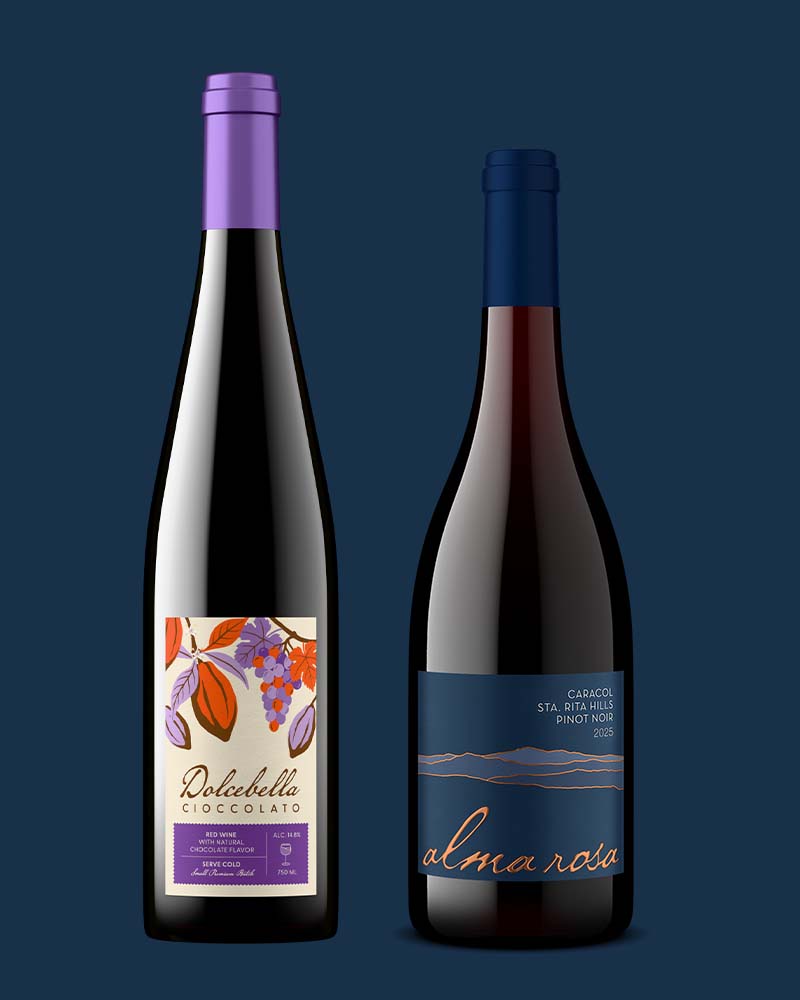
The image is a phone photo from 2022, a photographer's shot of a vintage that sold out, or a mix of both across the catalog.
This is the execution gap. Producers know the page needs a sharp, consistent, correctly sized image for every SKU. Producing that image, for every SKU, before each release, and again when the vintage changes, is the part that breaks down.
A photoshoot needs a bottle to exist, a photographer to schedule, and a reshoot every time a line on the label moves.
Getting the image right, without a photoshoot
Outshinery produces photorealistic product images from the label file, so the primary image can exist before the wine is bottled and can be updated when the label changes. Two distinct routes serve two distinct needs.
Outshinery Lite is the self-serve route for a standard bottle with a flat label. Upload the label, pick the bottle shape and closure, and a photorealistic bottle shot at 2,160 pixels on a transparent background arrives in under an hour, at $29 per image. It is built for the primary product image on a store or a marketplace listing, and it works for wine, cider, beer, and glass-bottle RTD.
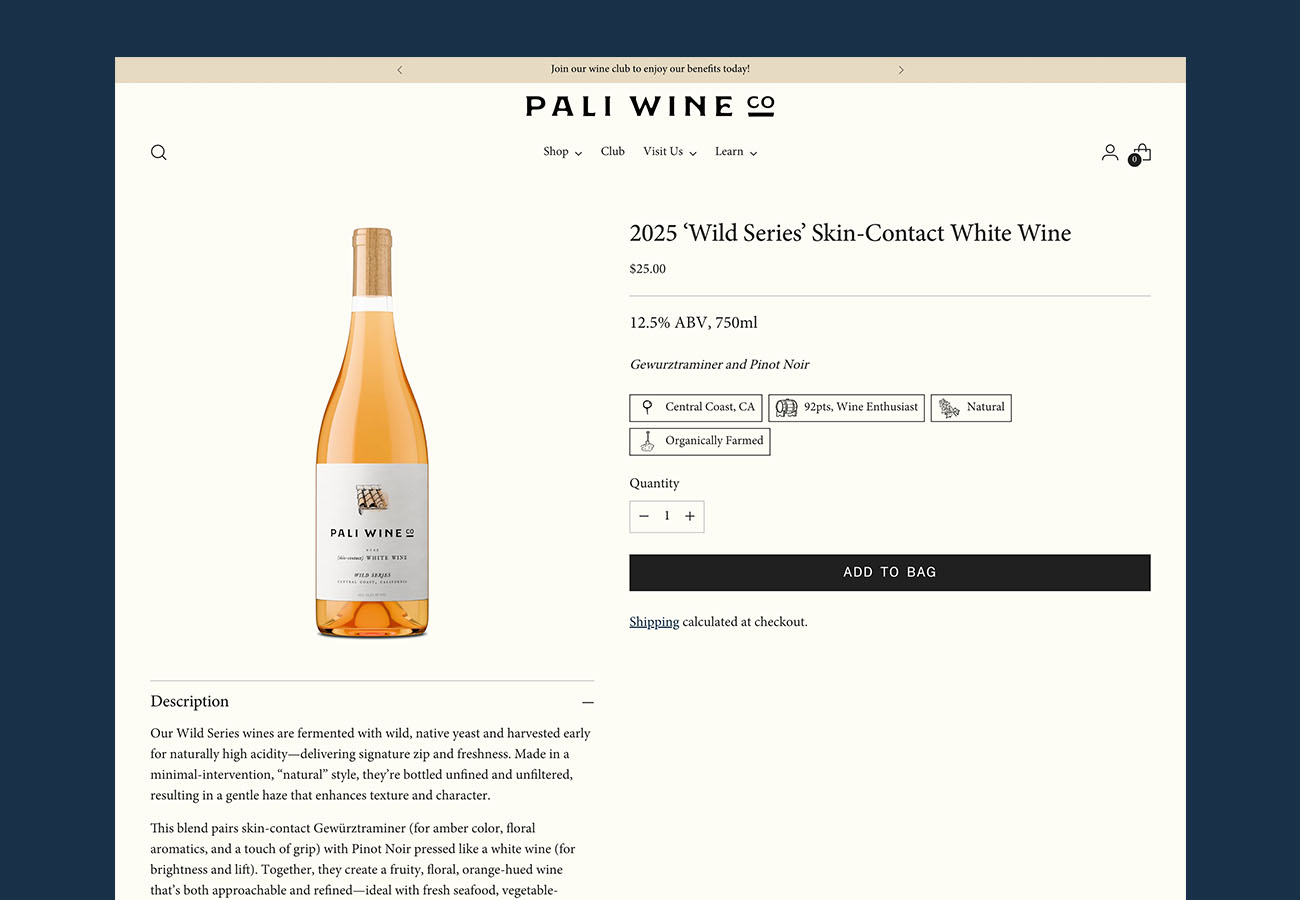
Outshinery Studio is human-led 3D production for everything Lite does not cover: embossed or foiled labels, unusual bottle shapes, cans, back-label views, group shots, and lifestyle scenes for the secondary image slots. An artist works on every Studio output, production starts within 3 business days, and vintage updates on an existing model are free.
Both start from a digital model of the package, which is why every SKU in the catalog comes out matched: same angle, same lighting, same scale. The rest of the page still has to do its job.
A page that was filled in once can be rebuilt one component at a time. Start with the one that gets judged first, because it is the one you can fix without waiting on a bottle.
Frequently asked questions
What is a product detail page?
A product detail page, often shortened to PDP, is the page on a store or marketplace where a shopper views a single product: its images, name, price, description, specifications, and the button that adds it to the cart. For a beverage brand it is the page for one SKU, such as a single vintage of a single wine.
What should a wine product page include?
A wine product page needs a sharp front-facing bottle shot, the wine's name, vintage, varietal, and region, the price and format, a short tasting note with a pairing, a scannable spec block with ABV and closure, shipping restrictions and an estimated shipping cost, and any third-party proof such as a score or medal. The image, name, price, and add-to-cart button should all sit above the fold.
How many images does a beverage product page need?
At minimum, one clean front-facing bottle shot on a white or transparent background, sharp enough to zoom. Add a back-label image so the shopper can read what the regulator requires, and one image that establishes scale or context. Marketplaces such as Amazon reward more, since each additional image can claim an attribute shoppers search for.
Are Shopify and Commerce7 product pages different?
The container differs, the anatomy does not: both need the same six components, hierarchy, imagery, copy, specs, proof, and a buy block. Commerce7 accepts tall, non-square bottle images natively and generates its own display sizes, while Shopify works best with a square image at 2,048 pixels. Produce one high-resolution master per SKU and export to each.
Should a winery show customer reviews on its product pages?
Reviews on a brand's own site carry less weight than on a retailer. Baymard's direct-to-consumer research found shoppers were skeptical of on-site reviews and most would seek third-party opinions before buying from an unfamiliar brand. Competition medals, critic scores, and press mentions, attributed by source and year, are stronger proof on a producer's product page.
Can I build a product page before the wine is bottled?
Yes. The copy, specs, and proof can be written from the label and the tech sheet, and the product image can be rendered from the label file before the bottle physically exists. That lets a page go live for a pre-release or a club allocation without waiting on a photoshoot.
The product detail page checklist
- Hierarchy: image, name, price, format, and add-to-cart all visible above the fold, on desktop and on a phone
- Imagery: one sharp front-facing bottle shot on a white or transparent background, label readable, and a second image that establishes scale
- Copy: what it is, where it is from, what it tastes like, what it pairs with, and what it costs, answered before the story starts
- Specs: format, ABV, vintage, appellation, and closure in a scannable block, with shipping restrictions stated next to the buy button
- Proof: a medal, score, or press mention with the source and year named, placed next to the price
- Buy block: price, format selector, quantity, button, and a shipping cost estimate before the shopper reaches checkout
Six components checked per SKU is the difference between a page that was filled in and a page that sells.