Best image size and format for wine ecommerce: a platform-by-platform guide
The specs every platform actually requires, and why one master file covers them all

Last updated: July 17, 2026
Your wine could be extraordinary. But if the product image is the wrong size, wrong format, or wrong background color, the listing gets suppressed, the thumbnail looks cropped, and the sale never happens.
Every ecommerce platform, marketplace, and retailer portal has its own image requirements. Pixel dimensions, file formats, background colors, product fill ratios. Get any of them wrong and your listing either looks amateur or disappears entirely.
The short answer: produce one master file per SKU, a high-resolution PNG on a transparent background at 2,000 pixels or more on the longest side. Every spec below is an export from that file, not a new shoot.
This is the reference guide for getting it right. Platform by platform, spec by spec, re-verified against current platform documentation in July 2026.
Why image specs matter more than image quality alone
A beautifully shot bottle means nothing if the file is 400 pixels wide on a platform that requires 1,000 minimum.
Amazon will suppress your listing. Instacart will reject the upload. Your DTC site will stretch a low-resolution file until the label text blurs into noise.
The visual quality of your product imagery is only half the equation. The other half is technical compliance: the right dimensions, the right format, the right background, delivered in a file that every platform can actually use.
Most beverage brands learn this the hard way. A new retail partner requests images for their portal. The images exist, but they are the wrong aspect ratio, or shot on a gray background when the spec calls for pure white. Now the team scrambles to reshoot or reformat, and the listing launch slips by a week.
The universal baseline: what almost every platform expects
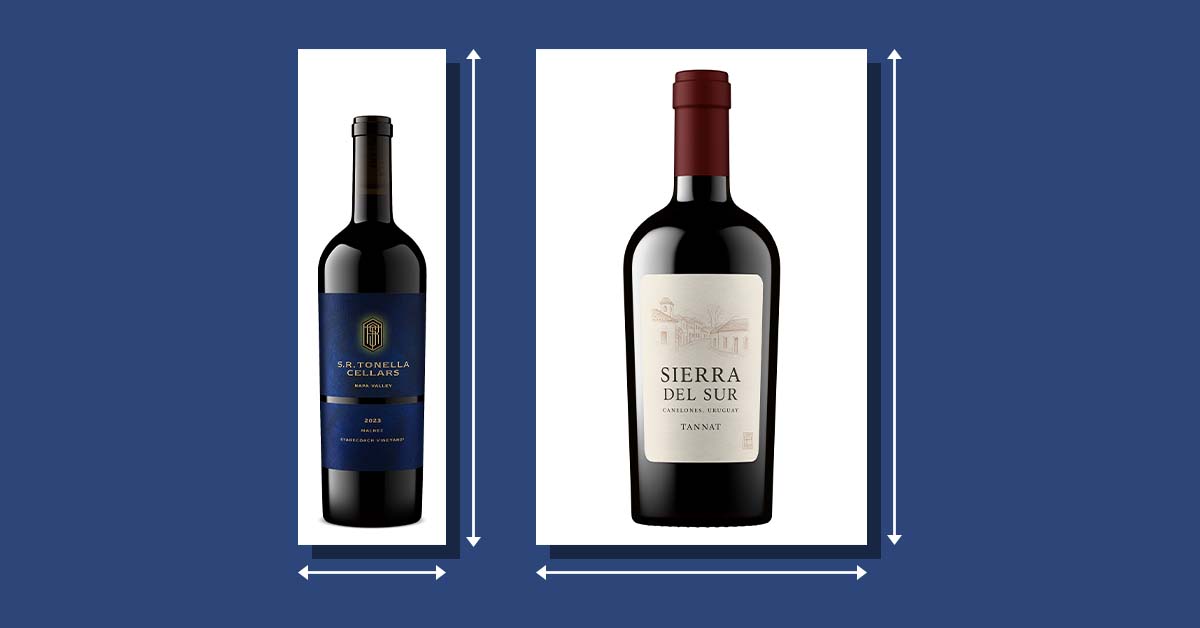
Before the platform-specific breakdown, here is what the vast majority of ecommerce channels share in common.
Minimum 1,000 x 1,000 pixels. This is the threshold for zoom functionality on most platforms. Below this, shoppers cannot zoom in on label details, and your listing looks less trustworthy next to competitors who meet the standard.
Square aspect ratio (1:1). The most universally accepted format. A square image fits cleanly into grid layouts on marketplaces, search results, and category pages. When in doubt, produce square (the one exception is Uber Eats, which asks for wider-than-tall images; details below).
White or transparent background. Pure white (RGB 255, 255, 255) is the standard for marketplace main images. Some platforms accept transparent backgrounds (PNG), but most require or strongly prefer solid white. This is where a lot of existing wine photography fails: that tastefully moody cellar shot will not pass Amazon's validator.
Product fills 85% of the frame. The bottle should dominate the image, not float in a sea of whitespace. Tight but not cropped. Label readable. Closure visible.
JPEG or PNG. JPEG for white-background hero shots (smaller file size, faster loading). PNG when you need transparency or the crispest possible label detail.
sRGB color space. Not Adobe RGB, not CMYK. Web browsers and ecommerce platforms display sRGB. Export in any other color space and your label colors will shift.
Platform-by-platform image specifications
Amazon
Amazon's requirements are the strictest of any major marketplace, and they enforce them.
- Recommended dimensions: 2,000 x 2,000 px
- Minimum dimensions: 1,000 px on the longest side (enables zoom; 1,600 px or more is optimal)
- Maximum dimensions: 10,000 px on the longest side
- File formats: JPEG (preferred), PNG, TIFF, non-animated GIF
- Background (main image): pure white (RGB 255, 255, 255)
- Product fill: 85% or more of the frame
- Text/graphics on main image: not allowed
- Secondary images: up to 8 additional; white background not required
The pure white background requirement is absolute for main images. Amazon's system checks pixel values, not overall impression, so a light gray studio sweep that reads as white to the eye can still fail validation.
Secondary images allow more creative freedom: lifestyle shots, label close-ups, back labels, and group shots. But the main image must be clinical.
What image size does Amazon require for wine?
At minimum, 1,000 pixels on the longest side, which enables zoom; Amazon recommends 1,600 px or more. The main image must sit on a pure white background with the bottle filling at least 85% of the frame.
Instacart
Instacart's requirements mirror the grocery and CPG standards its platform inherited.
- Recommended dimensions: 1,000 x 1,000 px
- Minimum dimensions: 600 x 600 px
- Maximum dimensions: 4,000 x 4,000 px
- Aspect ratio: square (1:1)
- File formats: PNG, JPG
- Maximum file size: 3 MB
- Background: pure white
- Product fill: 85% of the image area
- DPI: 300
- Additional content: no text, decorations, or additional objects
Instacart is strict about image clarity. If the product edges are not sharp or the label text is not clearly readable, the image will be rejected. The primary image must be a clean product shot.
For wine brands entering grocery retail or on-demand delivery channels, Instacart compliance is increasingly non-negotiable.
What are Instacart's image requirements?
A square image at 1,000 x 1,000 px (600 x 600 minimum, 4,000 x 4,000 maximum), PNG or JPG under 3 MB, on a pure white background with the product filling 85% of the frame.
Vivino
Vivino is label-recognition-first. The platform uses image recognition to match wine labels, which means image quality directly affects how well your product is identified and displayed to millions of users.
- Recommended dimensions: 1,200 x 1,200 px or higher
- File formats: JPG, PNG
- Background: white or transparent preferred
- Orientation: front-facing, label fully visible
- Label clarity: critical for label recognition matching
Vivino does not publish pixel-precise requirements the way Amazon does, but the platform's label recognition system rewards high-resolution, well-lit, front-facing bottle shots with clean backgrounds.
A blurry photo or an angled shot makes it harder for Vivino's scanner to match your product. Your image is quite literally how your wine gets found.
What image does Vivino need for label matching?
A high-resolution, front-facing bottle shot at 1,200 px or higher, with the label fully visible on a white or transparent background. Vivino matches your product from this image, so clarity directly affects how often your wine is found.
Wine.com and Total Wine
Major online wine retailers operate through vendor portals with internal image guidelines. Specific pixel requirements vary by partner, but the industry standard applies.
- Recommended dimensions: 1,500 x 1,500 px or higher
- Minimum dimensions: 1,000 x 1,000 px
- File formats: JPG, PNG
- Background: white
- Orientation: front-facing hero shot
- Additional views: back label, group shots often requested
Both Wine.com and Total Wine frequently request multiple views of a product. A single hero shot is not enough.
Front-facing, back label, and sometimes a bank view (multiple bottles together) are expected. Brands that can supply all requested views at submission time move faster through the onboarding process. Brands that cannot provide them stall.
What images do Wine.com and Total Wine ask for?
Vendor portals typically ask for a front-facing hero shot at 1,000 x 1,000 px or larger on a white background, plus back label and group views. Supplying every requested view at submission speeds up onboarding.
Commerce7
Commerce7 is the DTC platform of record for a large share of wineries, and it absorbed WineDirect's ecommerce business after acquiring its SaaS division in January 2025. Its image guidance is flexible, which puts the consistency burden on you.
- Recommended dimensions: 2,048 px on the longest side
- Aspect ratio: square not required; a tall bottle shot (for example 500 x 2,048 px) uploads cleanly
- Automatic resizing: each upload is resized into seven sizes used across the platform
- Transaction emails: product images render at a maximum width of 540 px
- File formats: PNG, JPG
- Background: no enforced requirement; transparent or white keeps the catalog consistent
Commerce7 is one of the few platforms that accepts tall, non-square bottle shots natively. Upload the highest resolution you have and let the platform generate the display sizes.
What is the best image size for Commerce7?
Commerce7 recommends 2,048 pixels on the longest side, and the image does not need to be square. A tall bottle shot works as-is, and Commerce7 automatically generates seven display sizes from your upload.
The built-in bottle shot option. Outshinery Lite has a native app in the Commerce7 app store, the only bottle shot generator with one. From any Product Details page, choose Actions, then Bottle Shot via Outshinery Lite: upload your label and a photorealistic 1,440 x 2,160 px PNG on a transparent background arrives by email within about an hour.
The WineDirect deadline: December 31, 2026
WineDirect's classic platform shuts down on December 31, 2026, and remaining stores are migrating to Commerce7. Commerce7 handles the data migration, but a platform move is the natural moment to audit your image library instead of carrying an inconsistent one into a new store.
If your products live as high-resolution masters on transparent backgrounds, the new catalog looks consistent on day one. If they are a patchwork from years of one-off shoots, fix the library before the move, not after.
Shopify, WooCommerce, and other DTC platforms
Your own DTC site gives you the most control, and the most room for error. No automated validator will reject your upload. But your customer's eye will.
- Recommended dimensions: 2,048 x 2,048 px
- Minimum for zoom: 800 x 800 px
- Maximum (Shopify): 5,000 x 5,000 px and 20 MB per file (target 100 to 300 KB served size for page speed)
- File formats: PNG (best quality), JPEG (best performance)
- Aspect ratio: square (1:1) for consistency across the catalog
- Background: white, transparent, or on-brand; be consistent
The critical discipline on DTC is consistency. Every product in your catalog should use the same angle, the same lighting, the same background treatment, the same framing.
When one Chardonnay was shot on a white sweep and the next was photographed on a kitchen counter, your product grid looks disjointed. Shoppers notice, even if they cannot articulate why.
What image size works best for a Shopify wine store?
2,048 x 2,048 px square covers zoom and looks sharp on every device. Shopify accepts files up to 5,000 x 5,000 px and 20 MB, and serves WebP automatically for performance.
Uber Eats (formerly Drizly)
Following Drizly's merger into Uber Eats in 2024, alcohol delivery listings follow Uber Eats' catalog image standards. The specs changed after the merger, and the old square format no longer applies.
- Aspect ratio: 5:4 to 6:4 (recommended)
- Width: 550 to 10,000 px
- Height: 440 to 10,000 px
- File formats: JPG, PNG, GIF
- Maximum file size: 10 MB
- Content: one product per image, centered, no overlaid text or logos
Uber Eats reviews every submitted photo before it goes live. The most common rejections are wrong aspect ratio, multiple items in one photo, and text or logos overlaid on the image.
Note the aspect ratio: unlike nearly every other channel on this list, Uber Eats item photos are wider than they are tall. A square or tall bottle shot needs to be placed on a wider canvas before upload.
What are Uber Eats image specs for alcohol?
Item photos should use a 5:4 to 6:4 aspect ratio, between 550 x 440 and 10,000 x 10,000 pixels, in JPG, PNG, or GIF format under 10 MB. One product per image, centered, with no text overlays.
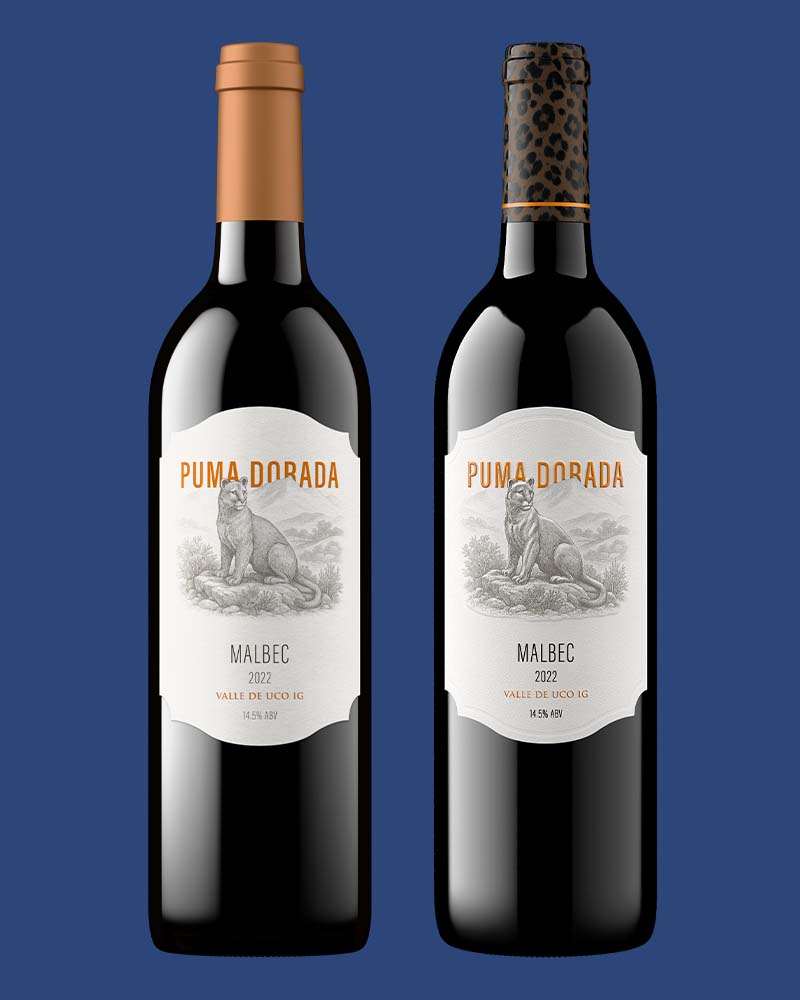
When a colored background works
Marketplace main images leave no room for creativity. Everything else does.
Amazon's secondary image slots, your DTC hero sections, email headers, and social posts all accept colored or styled backgrounds. That is where a brand color behind the bottle earns attention that pure white never will.
Two rules keep it from going wrong. First, the channel decides: colored backgrounds belong where no validator is checking for pure white. Second, consistency beats novelty: pick one background treatment per context and apply it to every SKU. A mixed grid is one of the most common product image mistakes on ecommerce sites.
This is also the strongest argument for the transparent master file. Start from a transparent PNG and any background, pure white for Amazon, a brand color for your homepage, a styled scene for social, is one export away. No reshoot.
The format question: JPEG vs. PNG vs. WebP
JPEG remains the standard for marketplace hero shots on white backgrounds. Smaller file sizes mean faster page loads, and every major platform accepts it.
PNG is the better choice when you need transparency (for compositing onto different backgrounds) or when label detail, fine text, and sharp edges matter. PNG files are larger, but the quality difference on a detailed wine label is visible.
WebP is the emerging standard for web performance. It delivers smaller file sizes than JPEG at comparable quality. Most modern browsers support it, and platforms like Shopify serve WebP automatically. But not all marketplace portals accept WebP uploads yet. Produce your master files in PNG, and let your website platform handle WebP conversion.
The practical answer: Produce your master product images as high-resolution PNGs with transparent backgrounds. From that single file, you can generate JPEGs on white for Amazon, PNGs for your DTC site, and let your CMS convert to WebP for performance. One master, every format covered.
What this means for your image workflow
If your product images were produced at high resolution with a clean, transparent background, you already have what you need for every platform on this list. Resize, flatten to white background, export as JPEG. Done.
If your images were shot at 1,200 pixels on a gray background with a slight shadow, you have a problem that multiplies across every channel. Too small for Amazon zoom. Wrong background for Instacart. Inconsistent with whatever you already have on your DTC site.
This is the real cost of "good enough" product photography. It is not that any single image looks bad. It is that the image cannot travel. It works on one platform and fails on three others.
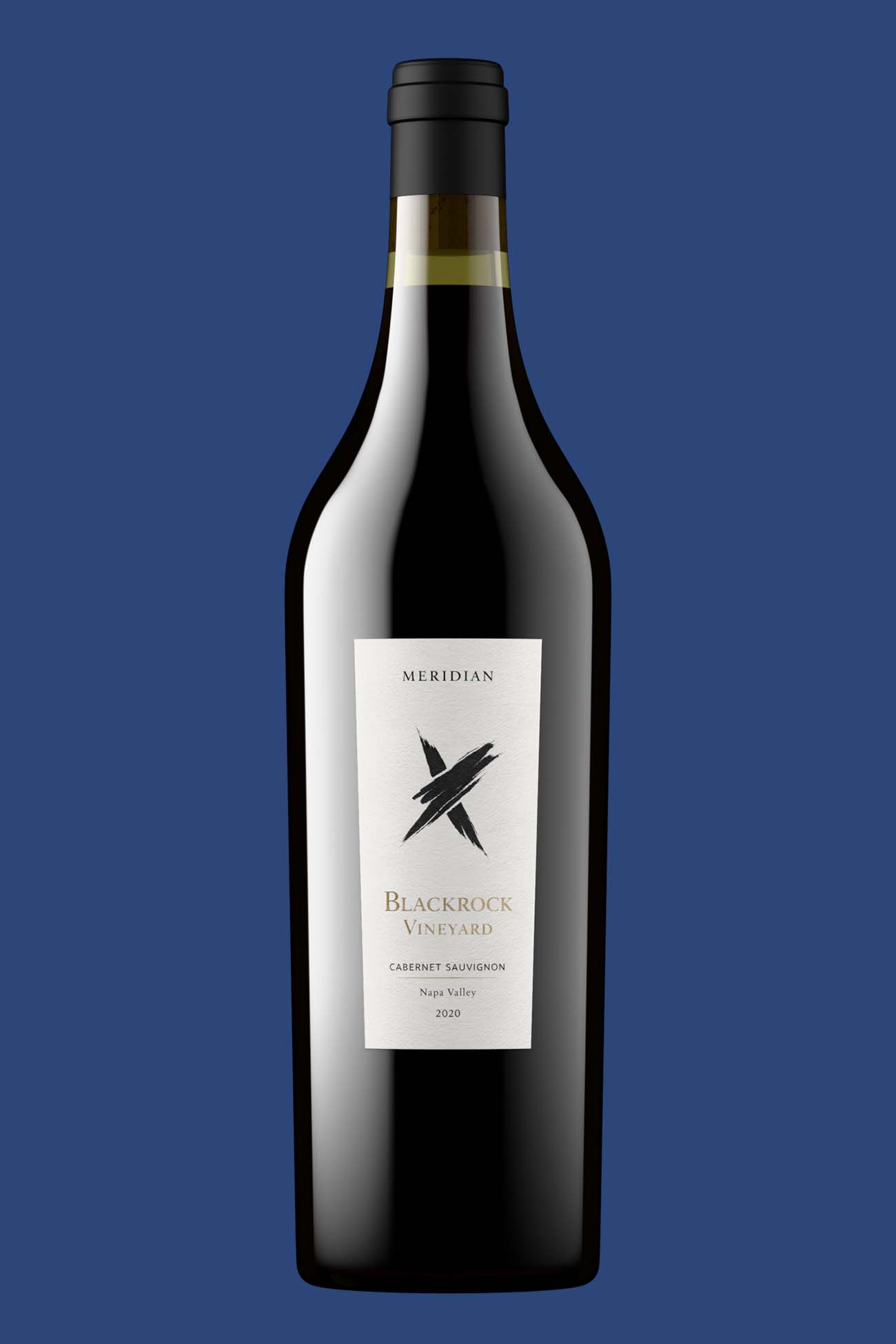
Outshinery Lite product shot:
- Dimensions: 1,440 x 2,160 px
- File formats: PNG
- DPI: 72
- Background: transparent
Outshinery Studio product shot:
- Dimensions: 900 x 3,000 px
- File formats: TIFF, PNG, JPG
- DPI: 300
- Background: transparent
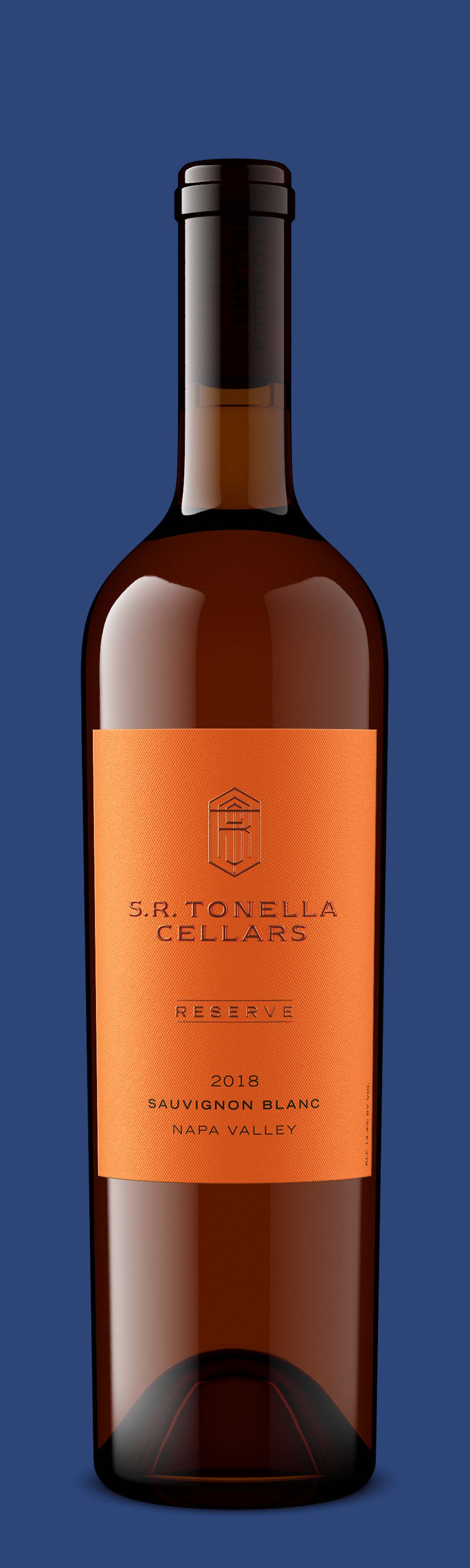
Outshinery's standard output, a high-resolution PNG render on a transparent background at least 2,160 pixels, is built to meet or exceed every requirement listed above. Whether you work with Studio for complex packaging and custom scenes, or use Lite for fast, self-serve wine bottle shots, the technical specs are handled from the start, without a photoshoot. No reshooting. No reformatting. No scrambling when a new retail partner requests images in a format you do not have.
Frequently asked questions
What is the best image size for wine ecommerce?
Produce one master file per SKU at 2,000 pixels or more on the longest side, as a PNG on a transparent background. That single file exports cleanly to Amazon's 2,000 x 2,000 px spec, Instacart's 1,000 x 1,000 px spec, and every DTC platform.
Do wine product images need a white background?
Marketplace main images do. Amazon requires pure white (RGB 255, 255, 255) and validates pixel values, so a light gray sweep can fail even if it looks white. Secondary images, DTC hero sections, email, and social all accept colored or styled backgrounds.
Should wine images be JPEG, PNG, or WebP?
Keep the master as a transparent PNG, export JPEGs on white for marketplaces, and let your website convert to WebP for performance. Not all marketplace portals accept WebP uploads yet, so it should never be your master format.
What color space should product images use?
sRGB, not Adobe RGB or CMYK. Web browsers and ecommerce platforms display sRGB, so exporting in any other color space shifts your label colors on screen.
How much of the frame should the bottle fill?
85 percent or more on marketplace listings. Amazon and Instacart both enforce this fill ratio, with the label readable and the closure visible, tight but not cropped.
Quick-reference checklist: before you upload
Verify every product image against these specs before uploading to any channel:
- Resolution is at least 1,000 x 1,000 px (2,000+ preferred)
- Aspect ratio is square (1:1), except Uber Eats (5:4 to 6:4)
- Background is pure white for marketplaces
- Product fills 85% of the frame
- File format is JPEG or PNG
- Color space is sRGB
- Label text is sharp and readable at thumbnail size
- Every SKU in your catalog matches the same visual standard
If any product in your library fails one of these checks, that listing is underperforming. Not because the wine is wrong. Because the file is.