We rebuilt the Studio brief. Here is what changed.
Find your container faster. Never lose a half-done brief. No more missing-file emails.

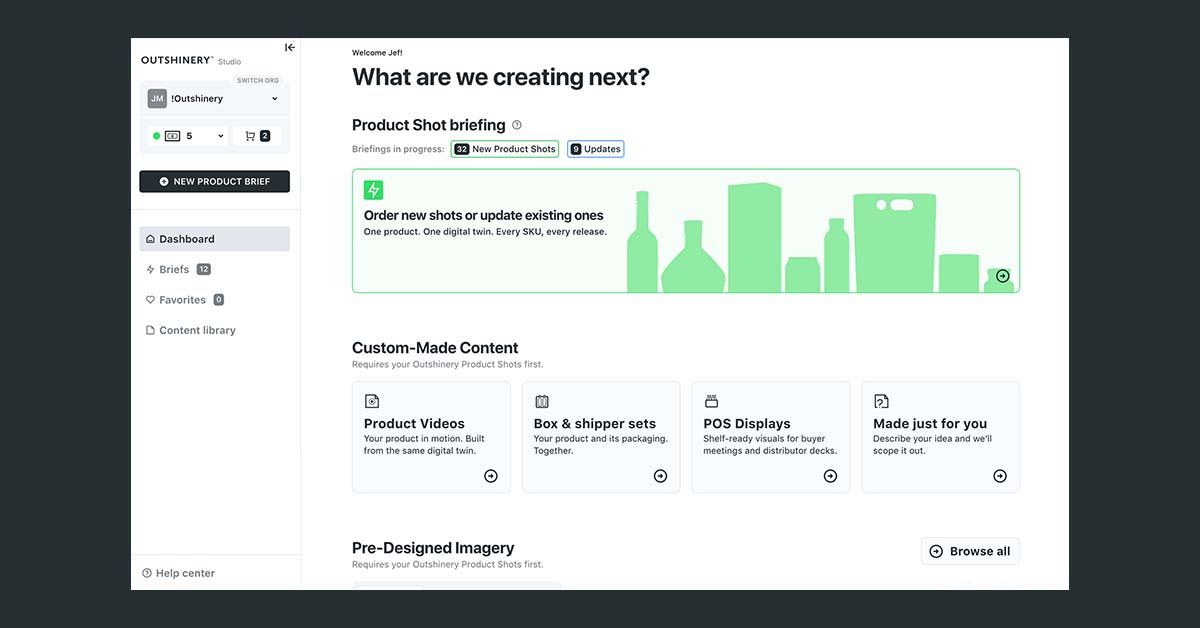
Ask our clients which part of ordering a Product Shot takes the most effort. The answer is never the image itself, and never the wait for it.
It is the brief: the form where you tell us exactly what your packaging looks like.
Fair. Those questions are not going away: which container, which closure, which finish, which liquid.
What we rebuilt is the way you answer them, from the first screen to the submit button. Studio 2.1 is live for every client.
New here? Outshinery Studio makes photorealistic product imagery for beverage brands without a camera, a sample or a shoot.
You send a label file and answer a short brief about your packaging; our 3D artists build an exact replica and deliver the image. That brief is the subject of this article.
Why the brief asks what it asks
A Product Shot is the exact 3D replica of your packaging we keep on file, and everything else builds on it. Pre-Designed Imagery places it in new scenes. Vintage updates and label tweaks revisit your existing Product Shot instead of starting over.
Gift sets, POS displays, and shippers are combinations of Product Shots you have already briefed. Every question in the rebuilt brief exists to make that asset exact, because two bottles can share a capacity and a shape family and still differ in shoulder, punt, and height.
Three ways to find your container
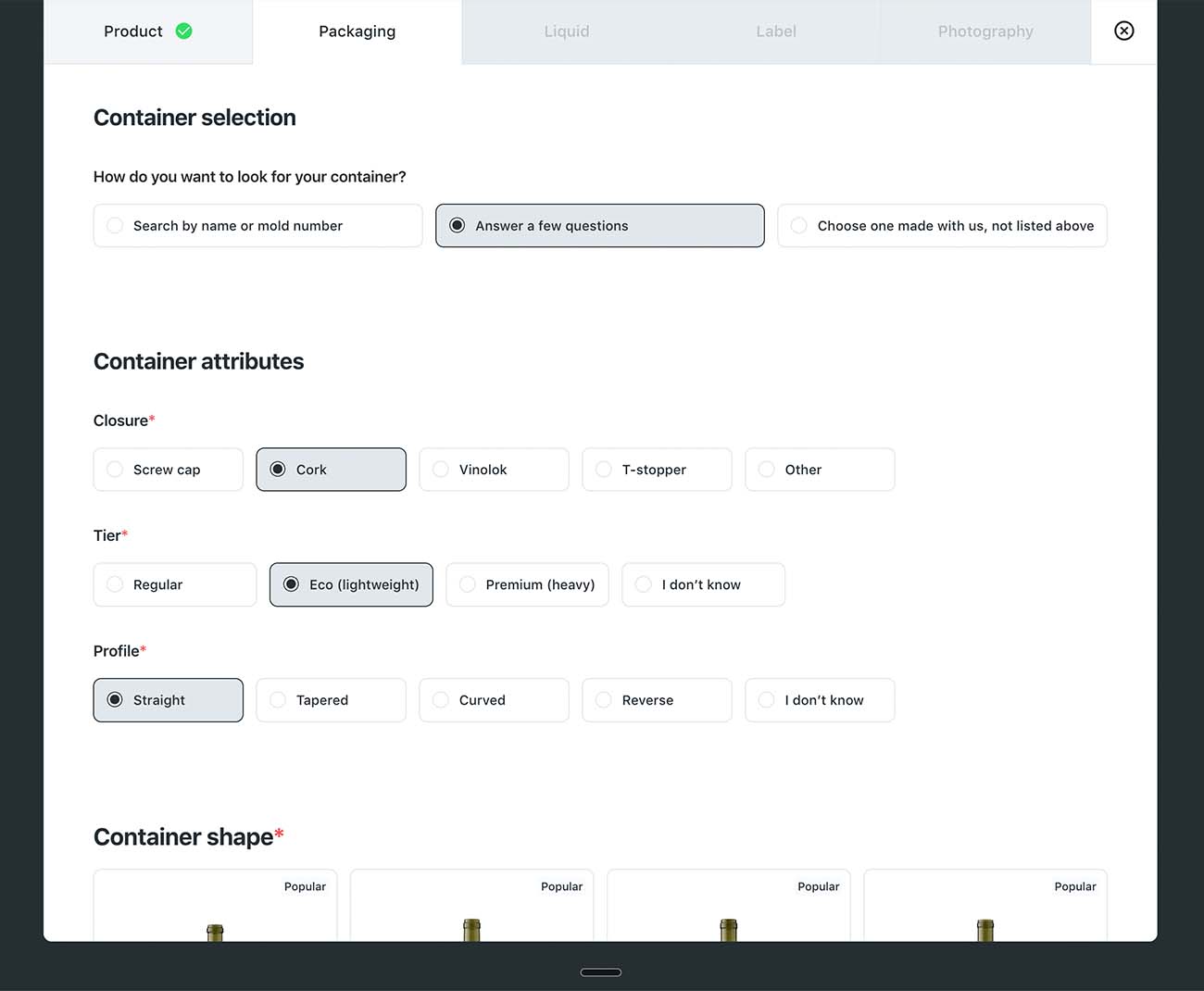
The container question used to be one search box and your memory. Now there are three doors, and you take the one that matches what you know.
You know the mold number. Your glass supplier printed it on the spec sheet and the technical drawing. Search by name or mold number and the library returns the shape with its dimensions and reference number, so you are confirming a match, not guessing at one.

Searching by number is not new. The gallery around it is.
You know roughly what it looks like. Guided search asks three questions: which closure, which tier, and which profile (straight, tapered, curved or reverse). "I don't know" is an answer on tier and profile.
It narrows the library to a short list, with the shapes chosen most often across Outshinery brands shown first. If you have never seen a spec sheet, that list is the best place to start.
You have ordered this container before. Choose one made with us: pick it from your past Product Shots and move on.
Whichever door you take, the shape you pick comes with its closest neighbors underneath: shapes that share a profile but differ in shoulder, punt or height. One look settles whether you picked the right one.
The browsing itself was rebuilt too. The long list is gone. The library is now a gallery, the same layout as Pre-Designed Imagery: search bar at the top, filters down the left, and a card for each of the 1,100+ bottle shapes with its dimensions and reference number.
A fourth door is coming soon: upload your technical drawing and the library finds the match for you.
Shape not in the library
Same as before: if your packaging is not in the library, upload the technical drawing and we build it. A shape other brands can buy is modeled at no charge.
A shape made only for your brand carries a one-time modeling fee of 1 Shine Credit, the same unit a Product Shot is paid with. It is named by you, kept in your library, and never shared with another brand.
Save it once, reuse it forever
Every container and closure you have used shows in your library, ready to pick again. Save the combinations you reuse as named profiles, "Burgundy screw cap for estates" or "Cork and gold wax for magnums". Next order, one click instead of twelve answers.
If you manage a portfolio, this is where the saving adds up. The specs live in your organization's library, not in someone's memory.
Saved profiles and past choices belong to the organization, not to the person who entered them. When a colleague briefs the next Product Shot, or someone new takes over the job, they start from everything already on file.
The brief waits for you
This is the one piece that did not exist before. The form saves as you go.
Close the tab, wait on a colleague for the closure spec, come back Thursday, and the draft is where you left it. No starting over.
Submit means complete
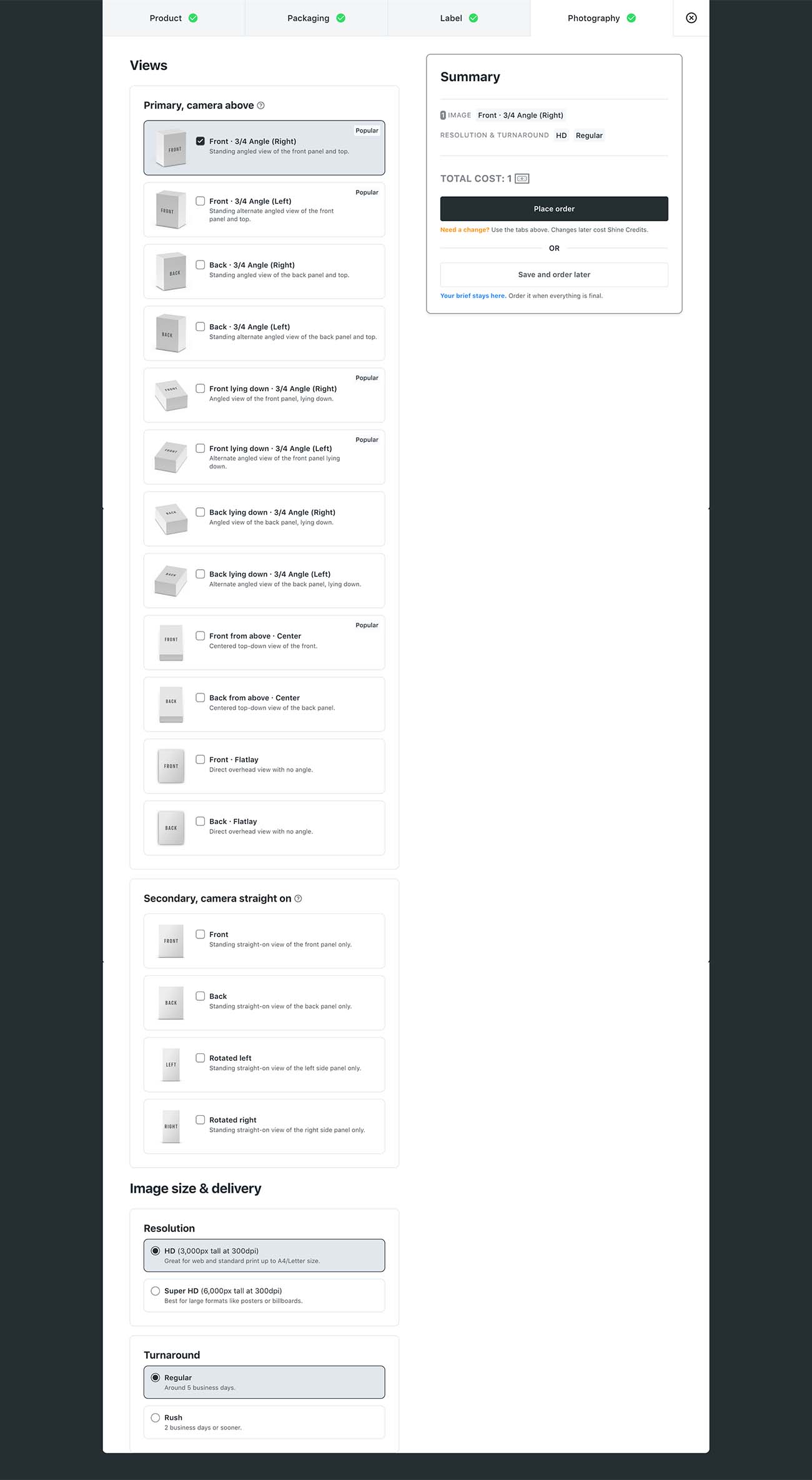
The form now checks the brief before it lets you submit. A missing answer or a missing file stops you on the spot, which sounds strict until you count what a gap used to cost: an email from us asking for the file, a day or two lost, a proof round spent on questions instead of on your image.
Now the brief that reaches our artists is complete, and the first proof is built from it. The one thing the form still cannot catch is a label file exported wrong on your side. Those still come back to you, with a note on what to fix.
The fastest way to judge any of this is to open the form. Anyone new can create a free Studio account and brief a first Product Shot with a welcome Shine Credit, no card required, to use within 5 days.
Updates, rebuilt too
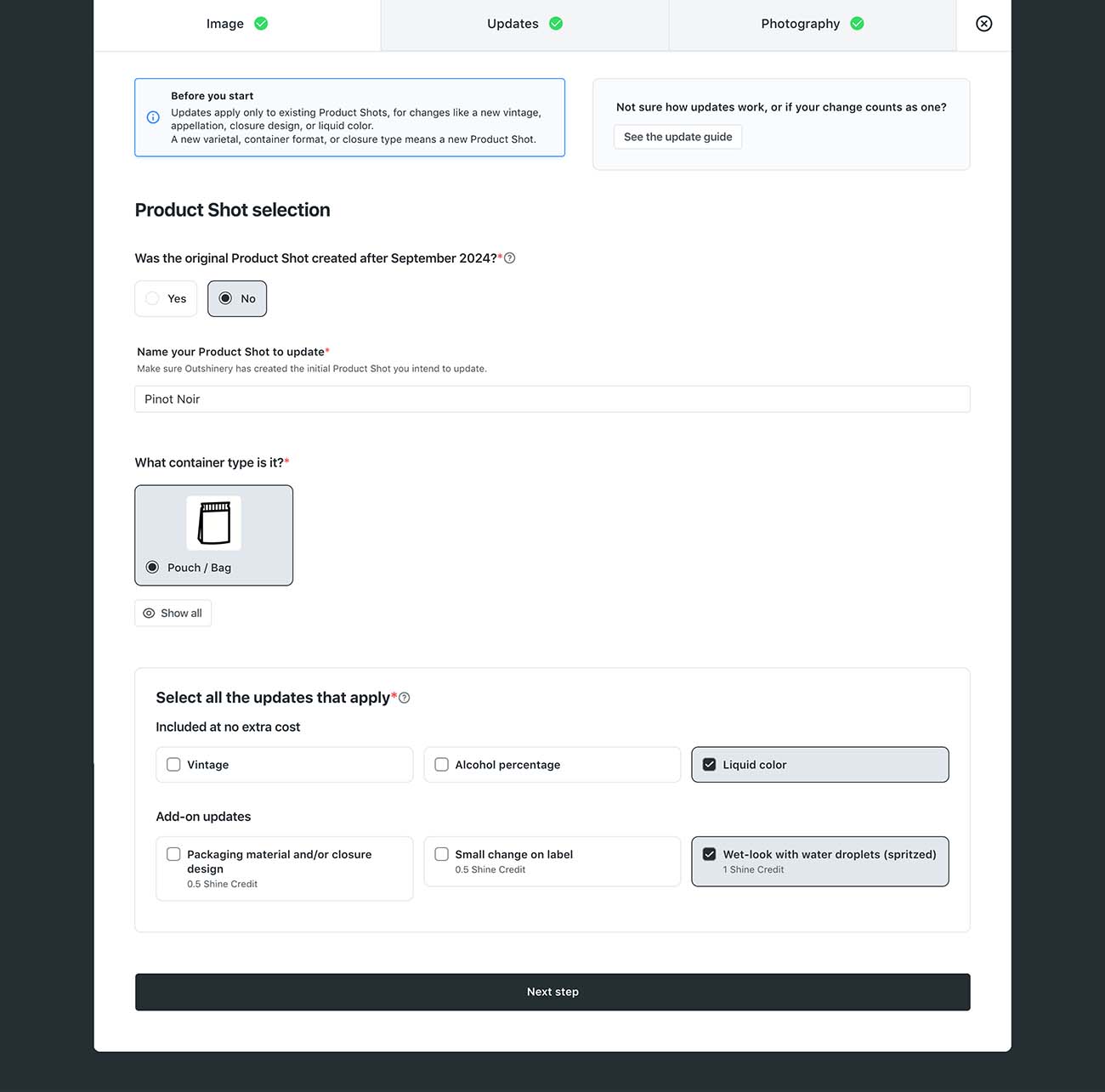
Ordering a vintage update or a label tweak used to start with finding the right Product Shot by name in a list. Now you see previews of your existing Product Shots, pick the image, and tell us what changes.
The smaller fixes you asked for
- Liquid color: the familiar spectrum is still there, with varietal cues under each swatch (a medium pink for a Grenache rosé, say). New, as the last option in the row: a color picker for when you have an exact shade. And for the tricky ones, rosé or white wine in flint glass, we keep showing you options at the proofing stage so the final image gets it right.
- Longer name fields: your product, brand and vintage names build the file name of every image we deliver, and long ones used to get cut off. The fields now take more characters, so the full name survives. Short names still make tidier file names, so keep them short where you can.
- Questions that skip themselves: take a cork finish on a glass bottle. We ask whether it is a cork, a T-stopper or a Vinolok, then its height, then its material only if the cork is visible, naked or half-hidden under wax. New: a cork fully hidden under a capsule gets no cork questions at all.
- Faster loading at every step.
- Better recall of your past answers, so you are not retyping what you told us last time.
- Alphabetical lists, so the option you want is where you expect it.
If you want the full walkthrough
Two guides cover every question in the form, why we ask it, and what to do when you do not know the answer:
The process did not change. The brief did.
You still brief, upload your label files, and review a proof built by our artists. What changed is that the brief now keeps pace with you: it finds your container faster, remembers what your organization already told us, waits while you track down an answer, and will not let a gap through to the proof. Open it and see.
Frequently asked questions
Do I need to brief my existing Product Shots again?
No. Every Product Shot you have ordered stays on file, and the containers and closures you used already show in your library. Updates now start from previews of those Product Shots, so you pick the image and describe the change.
Did the price of a Product Shot change with Studio 2.1?
No. Studio 2.1 changed the briefing form, not what a Product Shot costs or the files you send. The one fee that exists in the brief is unchanged: a shape proprietary to your brand is modeled for a one-time 1 Shine Credit, while any shape other brands can buy is modeled at no charge.
Can a colleague use the container profiles I saved?
Yes. Profiles and past choices are saved to your organization, not to your login. Anyone on your team who briefs a Product Shot starts from the same library.
What if my container is not in the library?
Upload the technical drawing in the brief and our artists build the shape. A drawing with dimensions works best; phone photos alone do not give enough information for an exact model.
What changed in the Studio 2.1 brief
- Finding your container: search by name or mold number, guided search, or a container you already made with us. Drawing match coming soon.
- Browsing: a gallery, not a list. Search at the top, filters on the left, a card per shape, close matches under the one you pick.
- Saved profiles: container and closure profiles kept at the organization level, so a colleague starts from what is on file.
- Autosave: the form saves as you go. Leave and come back, nothing is lost.
- Submit: only when the brief is complete. No more missing-file emails.
- Updates: start from previews of your existing Product Shots.
- Smaller fixes: a color picker for liquid, questions that skip themselves, longer name fields, faster loading.
Every item above is live today for every Studio client. Open the form to see them.