5 email marketing mistakes wineries make after getting great product shots
Why your bottle shots are not pulling their weight in email.


You spent the budget. The bottle shots are sharp, on-brand, and ready to deploy. Then the open rates dip, the click-throughs flatten, and the campaign feels like it's pushing through mud.
The image is not the problem. The infrastructure around it is.
Five technical mistakes show up again and again in winery email programs. None of them are about subject lines or send times. They are about how the email is built and how it travels. Fix them and the bottle shots you already paid for start carrying their weight.
Credit where it is due: this list is shaped by a recent LinkedIn post from Ed Feuchuk of Farm Collective in Napa Valley, who put the original five tips into one tidy thread. We have added the winery context and the imagery layer that ties them together.
Mistake 1: Using a generic click tracking domain
Your email service provider wraps every link in your campaign with a tracking domain. Out of the box, that domain is not yours. It belongs to the platform.
Recipients see a link starting with something like ctrk.klclick.com or click.mailchimp.com. Privacy filters see the same thing and start treating those links as suspicious. Inbox providers downgrade the sender. Deliverability dips, and the bottle shot a buyer was supposed to click never gets the chance.
The fix
Set up a branded click tracking domain that uses your own domain (links.yourwinery.com works well). It takes about twenty minutes and a DNS record. The platform still tracks the click. The recipient and the inbox provider see your brand. Trust goes up, deliverability follows.
Mistake 2: Skipping Apple Branded Mail
Apple Mail handles over half of US email opens (Litmus put it at 51.5% in February 2026), and most of those are on iPhone. By default, your winery shows up in those inboxes as a generic envelope icon next to your sender name. Generic icon, generic trust.
Apple Branded Mail puts your logo in the avatar slot, visible the moment your campaign lands. BIMI does the same thing across more inbox providers but requires a Verified Mark Certificate that often costs over $1,000 a year. Apple Branded Mail does not.
The fix
Sign in to Apple Business Connect, upload your logo, and confirm your sending domain. Most wineries can complete the setup in ten minutes. The win is a branded inbox impression on every Apple device that opens your email, every time.
Mistake 3: Building emails entirely from images
This is the one that quietly wastes your imagery. A campaign designed in Canva or Photoshop and exported as a single sliced image looks pixel-perfect on the designer's screen. Then it gets opened on a phone, in a dark mode client, by an AI assistant summarizing inboxes, and the whole thing falls apart.
Image-only emails cannot be parsed by AI features in Gmail, Apple Mail, and Outlook that summarize, categorize, and surface messages. Spam filters flag them. Screen readers cannot read them. Accessibility settings cannot resize the text. The result is a campaign that looks great in the preview pane and underperforms everywhere else.
Ed Feuchuk's framing on this one is sharp: AI is now the third reader of every email, after the human and the spam filter. Build for all three.

The fix
Build the email in HTML with real text for headlines, body copy, and buttons. Treat your bottle shot as one embedded image among real text elements, not as the entire canvas.
A photoreal PNG of your bottle, sitting cleanly inside an HTML email, reads as professional product imagery. The same shot, baked into a 1,600-pixel sliced image, reads as a billboard the algorithm cannot see.
This is also why Outshinery delivers PNGs with transparent backgrounds by default. The shot is meant to sit inside an HTML email, on whatever color background the winery uses, and stay sharp at any size. Treating it as wallpaper instead of a product element gives back the advantage the imagery was supposed to provide.

Mistake 4: Sending uncompressed images
A 4 MB hero PNG looks gorgeous in the preview. In the inbox, it slows the load, eats data on cellular connections, and risks Gmail clipping the message after 102 KB of total HTML weight.
Animated GIFs are the worst offender. A 20 MB animation might not load at all on mobile. Static images are not far behind if they were exported straight from the design tool without compression.
The fix
Run every bottle shot through TinyPNG or Squoosh before placing it in the campaign. The goal is under 200 KB for the hero image and under 100 KB for secondary images. Compression preserves visible quality at email viewing sizes, the deliverability gain is real, and your buyers actually see the image on their phone.
Mistake 5: Leaving images unlinked
An unlinked image in Gmail shows a small download icon on hover. It signals to the recipient that the image is a file attachment, not part of a brand experience. It also wastes a click.
Consumers tap images. They expect that tapping the bottle takes them to that wine, tapping the lifestyle shot takes them to the collection, and tapping the logo takes them home. When images are unlinked, every one of those instincts hits a dead end.
The fix
Link every image to a relevant destination. Product images go to the product page. Hero images go to the campaign landing page or the DTC store. Logos go to the homepage. The clicks you pick up from this single fix are the ones email designers consistently underestimate.

The pattern beneath all five
Notice what these mistakes have in common: none are about the bottle shot itself. They are about everything around it.
Wineries invest in professional imagery for a reason. The shot has to do work, on the DTC site, in the email, in the distributor catalog, and on the marketplace listing. A bottle shot only earns its budget when the channel it lives in lets it perform.
Email is the highest-converting direct channel for most wineries. Tasting rooms and wine clubs account for over half of average winery sales, and email is what brings buyers back. Wasting imagery here is wasting the most direct sales line you have.
What Outshinery delivers, and why it matters in email
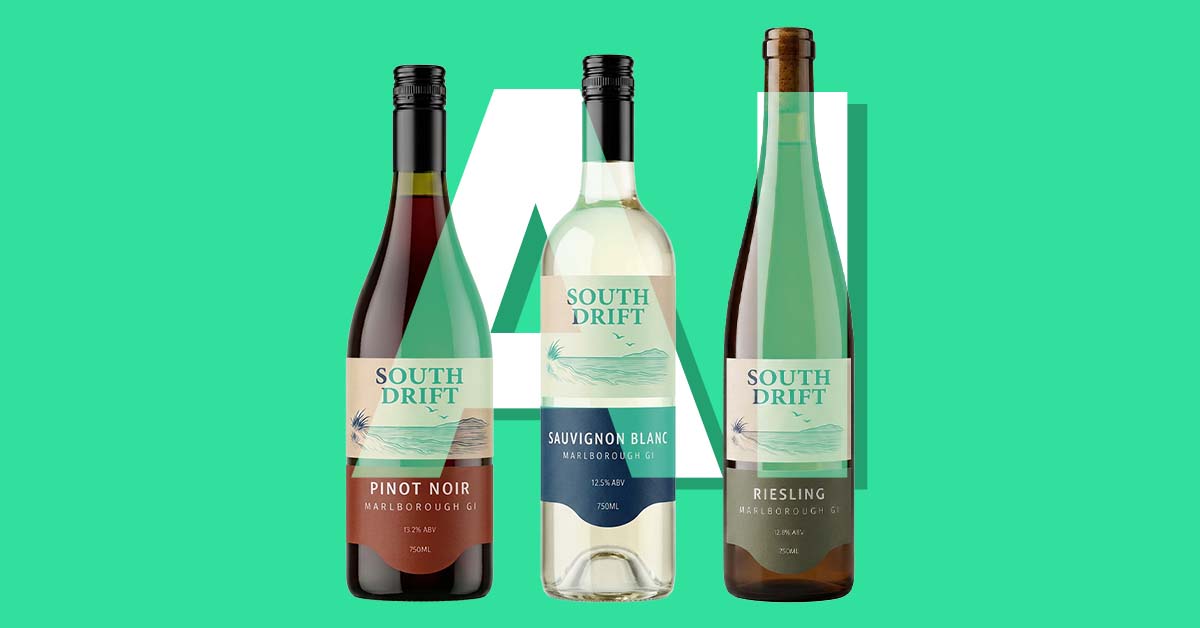
Outshinery Studio produces photorealistic bottle shots for wineries, breweries, distilleries, and beverage brands. Every output ships as a high-resolution PNG with a transparent background, ready to drop into an HTML email without rebuilding the design.
The transparent background is the point. Your newsletter palette can change, your seasonal layout can shift, and the same bottle shot still sits cleanly on every variation. No flat white box, no off-color halo, no need to commission a new shot when the brand refreshes.
For wineries who need a deeper visual library beyond the core product shot, Outshinery's Pre-Designed Imagery offers ready-made scenes built around the same 3D models: gift, romance, seasonal, recipe pairing. If you need a holiday hero image for next month's newsletter and you do not want to commission a custom render, Pre-Designed Imagery is the drop-in option. Same bottle, same consistency, in a scene that already matches the campaign you are writing.

One render, reused across every channel. That is the asset model email marketing rewards. Wineries that fix all five mistakes above typically see deliverability scores climb within two to four send cycles as sender reputation rebuilds and the underlying email infrastructure does the work the imagery was always meant to do.
Frequently asked questions
Do bottle shots in winery emails need to be PNG or JPG?
PNG with a transparent background is the right format for product shots inside HTML emails. Transparency lets the shot sit on any background color without a visible box around it. JPG is smaller but loses transparency, and WebP is not consistently supported across email clients yet. Compress the PNG with TinyPNG or Squoosh before sending.
What size should a wine bottle image be in an email?
For a single-column email at 600 pixels wide, export the bottle shot at 1,200 pixels wide so it renders sharp on retina screens, then compress until the file is under 200 KB. For smaller inline images, 600 to 800 pixels wide is usually enough.
Will my emails really get flagged if they are all image?
Not always flagged outright, but they consistently underperform. AI features in Gmail, Apple Mail, and Outlook need text to parse, summarize, and prioritize messages. Spam filters favor a balance of text and images. Screen readers and accessibility settings need text to function. Building the email in HTML with real text and embedded images is the safer pattern across every inbox provider.
Do I need to pay for BIMI to get my winery logo in the inbox?
No. Apple Branded Mail through Apple Business Connect puts your logo in Apple Mail inboxes for free. BIMI is broader (it reaches Yahoo, Gmail, and others) but requires a verified mark certificate that often costs over $1,000 a year. Start with Apple Branded Mail, then evaluate BIMI once email is a confirmed revenue driver.
How often should I update bottle shots used in my email campaigns?
Whenever the wine in the bottle changes: new vintage, new label, new closure, new format. The vintage year mismatch is one of the most common quiet mistakes in winery email programs. A 2019 hero shot in a 2024 campaign signals neglect to a careful buyer. With a 3D model already built, updating the vintage is fast and avoids a full reshoot.

Where can I get professional bottle shots for my email campaigns without a photoshoot?
Photoreal 3D rendering replaces the traditional bottle photoshoot for wine, beer, spirits, and RTD brands. Upload your label, your container spec, and your closure, and the output is a high-resolution PNG ready to drop into your next email. No shipping a sample to a photographer, no studio booking, no waiting on retouching. Outshinery Studio handles wine, spirits, beer, RTD, and cider; Outshinery Lite is a self-serve option for standard wine bottle shapes that returns a finished image in about an hour.
The bottle shots are the easy part. Let the email infrastructure carry them.
Email-ready bottle shot checklist
- PNG file with a transparent background
- Width sized at 1,200 px for a 600 px email column (retina ready)
- File size under 200 KB after compression with TinyPNG or Squoosh
- Image linked to the product page, collection, or DTC store homepage
- Alt text describing the wine (varietal, vintage, producer)
- Embedded inside an HTML email, not exported as a single sliced image