What Outshinery needs for a POS display render
6 min read
The complete brief, spelled out: what to send, what won't work, and how to get a preview that confirms instead of surprises.
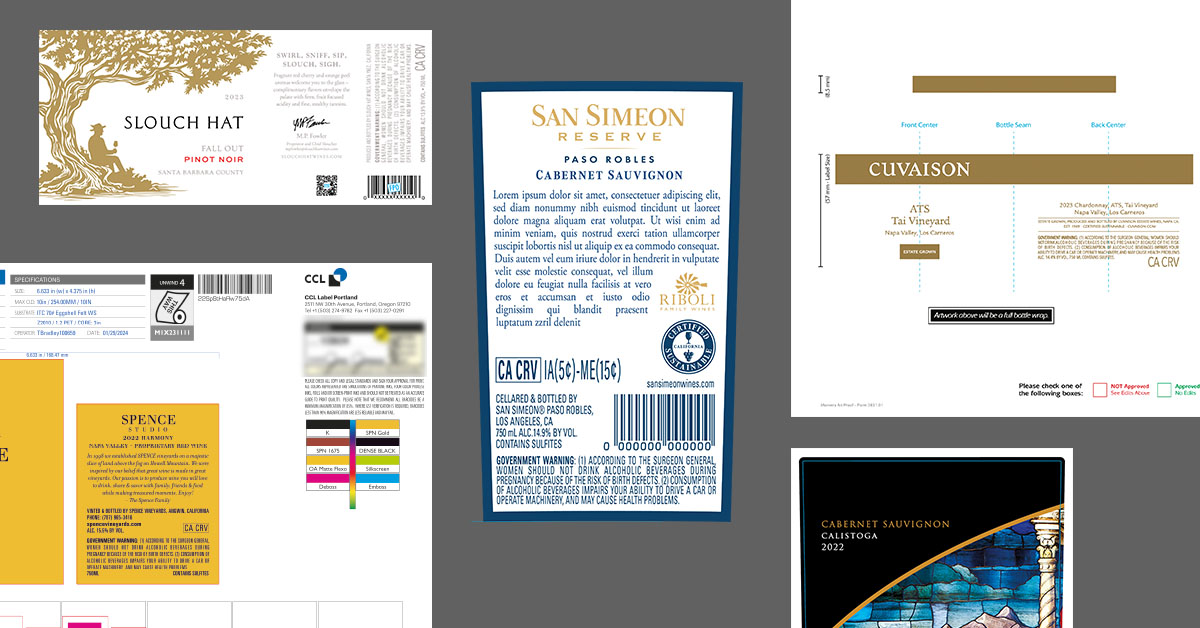
A POS display render is built the same way your display is built: from production files. The dieline that shapes the corrugate shipper, the graphics that print on it, the products that sit in it. Give the team the same files your display manufacturer and printer work from, and the render matches what eventually stands in the store.
The reverse is also true. A draft dieline, a low-resolution case graphic, or a guessed-at arrangement produces a render of something that will never exist.
Same principle as label files: if it is good enough to print from, it is good enough to render from.
Not just the main structure. Backer cards, header cards, neckers, case cards, shelf strips, violators: if it prints and appears in the display, send its production file. The file standards are identical to Outshinery's label file requirements: vector-based, layered, packaged with fonts and linked images.
The display is only as convincing as the products inside it. Every bottle or can, pack or shipper appearing in the display needs an existing Product Shot, which means its digital model already exists and drops into the display scene accurate to the fill line. If your products are already in the Outshinery library from previous orders, this requirement is already met.
Which products go where, how many facings, what stacks on what. Rough sketches are welcome. A straight-from-above layout drawing, even a simple one in Adobe Illustrator, is the single best document you can send: it shows exactly how products sit in the display and keeps interpretation out of the process.

Seasonal programs often carry accessories no printer produces: bows on the bottles, lights around the cases, props that give the program its theater. These are modeled and placed in the scene, so send reference images and rough dimensions for anything that is not printed corrugate.
Outshinery's slightly elevated default angle works for most pitches. If your deck needs a specific crop, a vertical format for a retailer portal, or an overhead for the planogram page, say so in the brief so the scene is composed for it.
A brief moves fastest when these already have answers. Settle them with your team and your display manufacturer first, and the preview round becomes a confirmation rather than a discovery process.
First proof in 3 to 5 business days from a complete brief. The team assembles the display digitally and shares in-progress previews.
The preview stage is for fine-tuning, not redesign: remove some of the neckers, nudge the header placement. The big arrangement decisions belong in the brief, which is why the layout drawing pays off. Larger changes at preview stage (a restacked layout, an alternate colorway) are still possible; they are scoped as additional work with fees to match.
Once the preview is approved, final images arrive within a business day, as high-resolution TIFF, JPG, or PNG files, ready for the pitch deck, the sell sheet, or the retailer portal.
Pricing starts at 4 Shine Credits per POS display render, estimated at the brief stage based on complexity. Details on the pricing page.
To see what this looks like in a real program, read the Heard Creative customer spotlight: the agency has briefed more than 500 POS and packaging visuals through Outshinery, from neckers to full floor displays.
What files does Outshinery need for a POS display render?
The structural file or dieline from your display manufacturer, print-ready graphics for every printed piece in the display (main structure, backer cards, header cards, neckers, case cards, shelf strips), and a completed Product Shot for each product appearing in the display. A straight-from-above layout drawing showing the arrangement is strongly recommended.
Can I send a sketch instead of a finished layout?
Yes. Rough sketches are welcome as creative direction, and the team works with you from there. The more precise the layout information, the fewer preview rounds the render needs. A simple straight-from-above drawing in Adobe Illustrator is ideal.
Do you need a physical sample of the display?
No. The render is built entirely from your design files. No prototype, no shipping, no photoshoot. That is the point of rendering the display before it exists.
How long does a POS display render take?
First proof in 3 to 5 business days from a complete brief. Once the preview is approved, final images arrive within a business day. Revision rounds, not rendering, set the overall pace, which is why a complete brief is the fastest path to finished images.
What if my display structure changes after the render is done?
Structural changes mean rebuilding the scene, scoped as new work. This is why the dieline should be final before the brief goes in. Graphics-only updates (a new vintage, refreshed seasonal art on the same structure) are updates to the existing scene, not rebuilds.


Book a 20-min call to see how Outshinery's photorealistic approach can effectively address all your product imagery needs, once and for all.
Schedule a callGet professional, photorealistic images for your brand without the hassle of traditional photoshoots. Outshinery makes it easy, fast, and affordable.