How to get more from every Outshinery image (without a designer on staff)
One image, many uses. Here is how to stretch every bottle shot across your entire marketing.


You ordered the bottle shot. It looks great. Now what?
Most small wineries upload a single image to their DTC store and call it done. That one photo sits on one product page, serving one purpose. Meanwhile, the same producers wonder why their social feeds look thin, their distributor decks feel incomplete, and their marketplace listings blend into the background.
The image is not the problem. The approach is.
Here is the thing most people miss about professional product imagery: the value is not in the single file you receive. It is in what you do with it after.
A $29 Lite bottle shot or a Studio image ordered with a single Shine Credit becomes exponentially more useful when you crop it, reframe it, layer text on it, and deploy it across every channel where your wine shows up.
If your marketing budget is closer to $500 a month than $5,000, this matters even more. You cannot afford a photoshoot for every channel. But you can make one great image work everywhere.
This guide walks you through exactly how to do that, step by step, with no design software required.
Start with the right file
Everything that follows depends on the quality of the original image. A cropped iPhone photo will not hold up when you resize it for a billboard or zoom in for an Instagram story. A professional bottle shot will.
Why transparent backgrounds matter
Both Outshinery Studio and Lite deliver high-resolution PNGs on a transparent background. That transparent background is what makes the image infinitely flexible. You can place it on white for a clean product page, on a colored background for a social post, or on a lifestyle scene for a sell sheet.
Before you start repurposing, make sure you are working from the original file, not a compressed version saved from your website. The full-resolution PNG is your master asset. Everything else is a derivative.

Line them up for your product page
A single front-facing bottle shot is the minimum. But the brands that convert browsers into buyers go further.
If you have multiple wines in a lineup, arrange them side by side in a single composition. Most presentation tools (Canva, Google Slides, even PowerPoint) can handle this. Place bottles in a logical order: whites to reds, light to full-bodied, or by price point.
This lineup image works on your website's collection page, in wholesale presentations, and in email headers announcing a new vintage. One composition, three placements.

For Lite users, every image ships with the same lighting, angle, and scale. Your bottles will look like they belong together without any manual adjustment. Studio images carry that same consistency, matched to your brand's visual standard across every order.
Change the background
A transparent PNG is a canvas. The default choice is pure white, and for marketplace listings like Vivino or Wine.com, white is often required. But white is not your only option.
Try a solid color that matches your brand palette for social posts. Use a soft gradient for a sell sheet header. Drop the bottle onto a photograph of your vineyard for a wine club email. None of this requires Photoshop. Free tools like Canva and remove.bg handle background swaps in seconds.
One practical tip: dark backgrounds make lighter wines pop, and light backgrounds give dark bottles more presence. Experiment with contrast, not just color.

Crop and reframe for every channel
A single bottle shot contains several images inside it. You just have to crop.
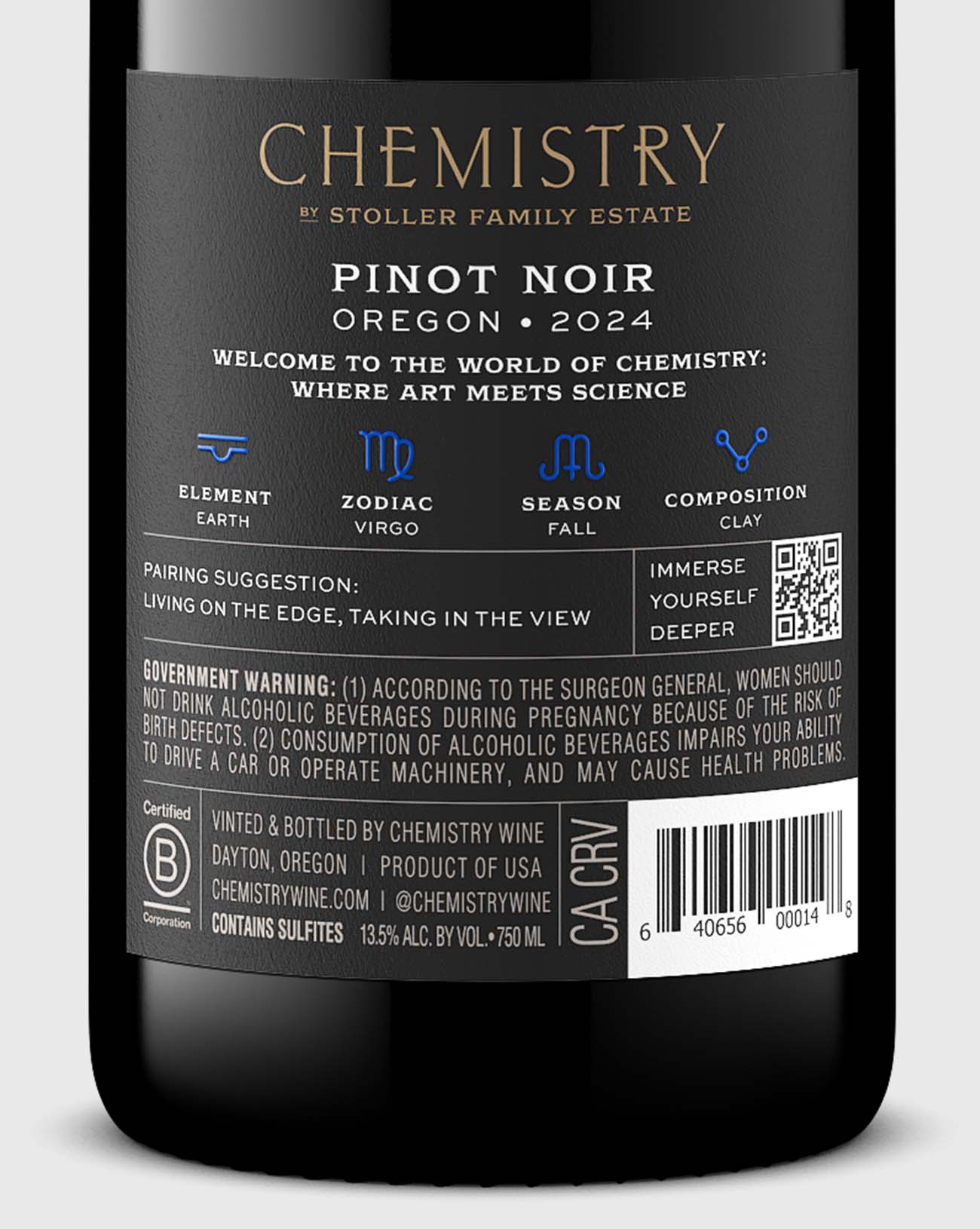
The full bottle works for your product page. A close-up of the label works for an Instagram post that highlights your winemaker's notes or a new vintage detail. The top third of the bottle, capsule and all, makes a clean profile image or email icon.
Five crops that get the most mileage
- Full bottle, vertical: Product pages, marketplace listings, sell sheets
- Square crop, label centered: Instagram feed, Facebook catalog, Google Shopping
- Wide crop with negative space: Email banners, website hero sections, LinkedIn posts
- Tight label close-up: Instagram stories, detail callouts, tech sheet headers
- Landscape with bottle off-center: Blog featured images, press kit headers
Each crop is a new asset. Five crops from one image means five pieces of content from a single order.
Add text overlays
This is where a static image becomes a marketing asset.
Open your bottle shot in Canva, Figma, or any free design tool. Add your wine's name, a tasting note, a price, a "new release" badge, or a seasonal callout. Now you have a social-ready graphic that looks intentional, not improvised.

Overlay combinations that work for small wineries
- Bottle shot + vintage year + "New Release" = Instagram announcement
- Bottle shot + price + "Shop now" = Facebook or Google ad creative
- Bottle shot + 90+ score badge = Email campaign hero
- Bottle shot + food pairing suggestion = Pinterest pin or recipe card
Keep text minimal. The bottle is the star. A clean font, a simple background color, and one line of text is almost always enough.

Go further with lifestyle images
Standard bottle shots handle the majority of your daily content needs. But there are moments when context sells better than the product alone.
When a scene tells a better story
A lifestyle image places your wine in a scene: a dinner table, a vineyard picnic, a holiday gift spread. These images tell a story that a white-background bottle shot cannot. They work especially well for seasonal campaigns, wine club announcements, and social content where you want to stop the scroll.

How to get lifestyle images without a photoshoot
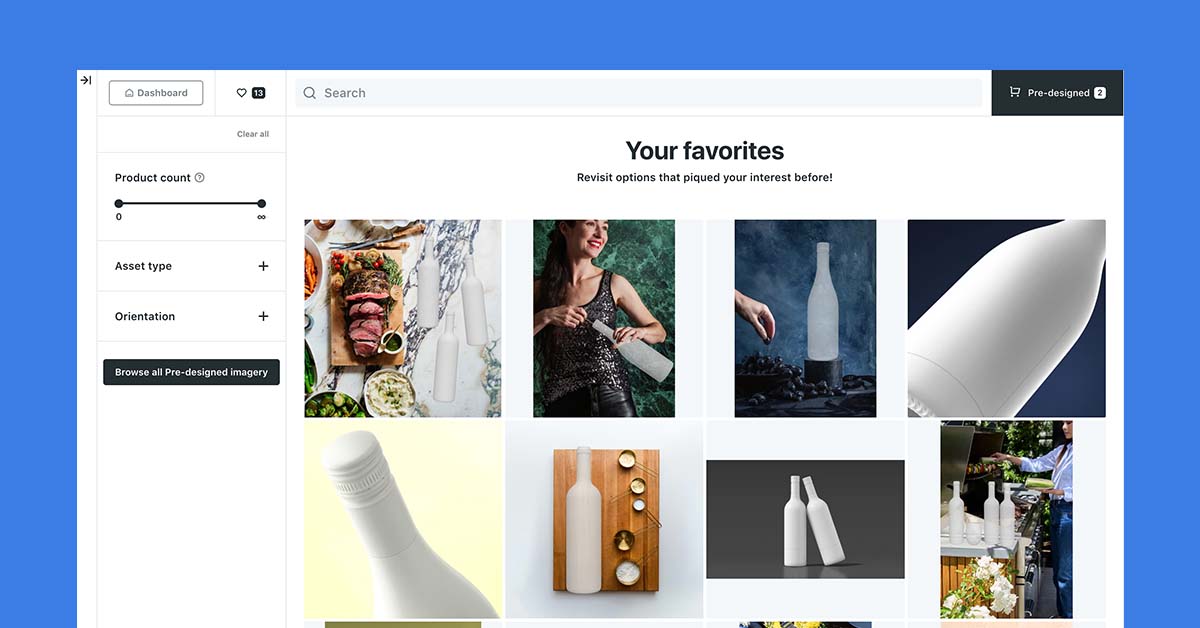
Outshinery Studio creates lifestyle images starting at 2 Shine Credits. The scene is built digitally, so you do not need to ship bottles, hire a stylist, or coordinate a shoot. Many of those scenes come from the pre-designed scene library. If you are a Lite user who has been getting great results with standard bottle shots, lifestyle images are a natural next step when you are ready to invest in content that drives emotional connection. This guide maps where Lite ends and Studio begins.
The best part: once your bottle's 3D model exists in Studio, generating new scenes from it is faster and more affordable than starting from scratch.
Think beyond the single listing
Most wineries treat product imagery as a checkbox. Get the bottle shot, put it on the website, move on. But the brands that grow their DTC sales and distribution presence treat every image as raw material for a full content system.

Seven uses from one image
- A product page hero
- A social media post (multiple crops, multiple platforms)
- A sell sheet or line card visual
- An email campaign header
- A marketplace listing image
- A wholesale presentation slide
- A print-ready element for shelf talkers or tasting room signage
The real cost per use
That is seven distinct uses from one file. If you paid $29 for a Lite bottle shot and used it in all seven places, your cost per placement drops to about $4. If you used a Shine Credit on a Studio subscription, the same math applies across those seven placements. Compare that to commissioning a photographer, where a single professional shoot often costs more than a year of Lite images, and the economics shift dramatically.
The question is not whether you can afford professional imagery. It is whether you can afford to leave it sitting on a single product page.
Frequently asked questions
How many ways can one bottle shot be used?
At least seven: a product page hero, social media posts in multiple crops, a sell sheet visual, an email campaign header, a marketplace listing, a wholesale presentation slide, and print elements like shelf talkers or tasting room signage. Used across all seven, a $29 Outshinery Lite bottle shot costs about $4 per placement.
What file should I repurpose from?
Always the original full-resolution PNG with the transparent background, which is what both Outshinery Studio and Lite deliver. A compressed version saved from your website will not hold up when resized or zoomed. The master PNG is the source; everything else is a derivative.
Do I need Photoshop to change a background?
No. Free tools like Canva and remove.bg handle background swaps in seconds because the image arrives on a transparent background. Keep pure white for marketplaces that require it, and use brand colors, gradients, or a vineyard photograph elsewhere. Dark backgrounds make lighter wines pop, and light backgrounds give dark bottles more presence.
Which crops get the most mileage?
Five: the full vertical bottle for product pages and sell sheets, a square crop with the label centered for Instagram and Google Shopping, a wide crop with negative space for email banners and LinkedIn, a tight label close-up for stories and tech sheets, and a landscape crop with the bottle off-center for blog headers.
How do I get lifestyle images without a shoot?
Outshinery Studio builds lifestyle scenes digitally, starting at 2 Shine Credits, with no bottles shipped, no stylist, and no shoot to coordinate. Once your bottle's 3D model exists in Studio, each new scene is faster and more affordable than starting from scratch.
Your repurposing checklist
When you receive a new Outshinery image, run through this list before you file it away:
- Original file saved? Keep the full-resolution PNG as your master. Never work from a compressed web export.
- Product page updated? Upload to your DTC store, Vivino, Wine.com, and any marketplace where your wine is listed.
- Square crop created? Resize for Instagram, Facebook catalog, and Google Shopping.
- Landscape crop created? Resize for email headers, blog featured images, and LinkedIn.
- Label close-up cropped? Use for Instagram stories, tech sheets, and detail callouts.
- Lifestyle crop saved? If you ordered a lifestyle image, crop key sections for social and email use.
- Text overlay version made? Create at least one social-ready graphic with a price, score, or seasonal message.
- Sell sheet or line card updated? Drop the new image into your wholesale materials.
- Email template refreshed? Swap in the new image for your next campaign or wine club announcement.
- Social content scheduled? Plan at least 3 posts using different crops and treatments of the same image.
Ten minutes of repurposing turns one image into a full content kit. No designer required.